Best 3D Printers Under $500 for a First Upgrade: Top 9 Picks (October 2026)
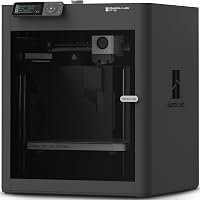
The best 3D printers under 500 dollars include the Bambu Lab P1S for enclosed upgrades, the Bambu Lab A1 Combo for colorful decor, and the Flashforge AD5X for four-color models.
On this page (4 sections)
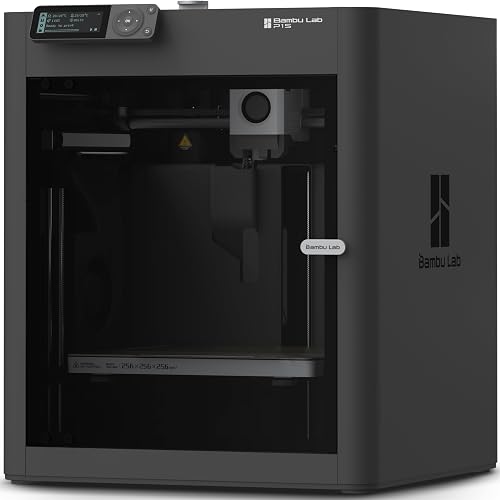
The best 3d printer under 500 dollars for a first upgrade is the Bambu Lab P1S, with an enclosed design, automatic bed leveling and a setup that takes 15 minutes. Choose the A1 Combo if multicolor printing is a priority, or the Ender 3 V3 Plus if you need more room for larger projects.
A useful upgrade fixes a real limit in your current setup. Decide whether you need easier calibration, more build space, an enclosure, color, or a mix of those features before you compare speed claims.
For a broad introduction, see our guide to 3D printers for home use. If you’re still weighing the time, space and supply needs, our checklist for deciding whether to buy a 3D printer can help.
Our picks at a glance
-
1
-
2

-
3

How to compare the best 3D printers under 500 dollars
The best 3d printer under 500 is the one that handles your regular projects without adding features you won’t use. Start with the print size, materials and number of colors you need, then consider setup and available space.
These picks cover different upgrade paths: enclosed machines, multicolor systems, larger build areas and models with extra monitoring. The scores and order reflect how well each option fits common upgrade needs.
| Product | Best for | Design | Multicolor | Setup | Our score |
|---|---|---|---|---|---|
| Bambu Lab P1S | enclosed upgrades | Enclosed FDM printer | Up to 16 colors with Bambu Lab AMS | Setup in 15 minutes | 8.8 |
| Bambu Lab A1 Combo | colorful decor | AMS lite included | 8.7 | ||
| Flashforge AD5X | four-color models | Up to 4 colors | 8.3 | ||
| Elegoo Centauri Carbon | enclosed larger builds | Enclosed CoreXY printer | 8.2 | ||
| Elegoo Centauri 2 Combo | guided color workflows | 4-color printing | 8.0 | ||
| Creality SPARKX i7 Combo | AI camera alerts | Four-color capability | 7.7 | ||
| Anycubic Kobra 3 Max V2 | oversized prints | Up to 4 colors with ACE 2 Pro | 7.6 | ||
| Creality K1C | flexible filament | 7.5 | |||
| Creality Ender 3 V3 Plus | open-frame projects | 7.1 |
Which 3D printer under 500 dollars fits each upgrade?
The P1S is the strongest all-around option in this group, while the other printers suit specific goals such as color, volume or simpler setup. Check the model’s footprint and workflow against your room and the objects you want to print.
Bambu Lab P1S: best 3D printer under 500 for an enclosure
Bambu Lab P1S: Best for enclosed upgrades
- Enclosed design
- Automatic bed leveling
- Optional multicolor printing with AMS
- Setup in 15 minutes
The enclosed design and automatic bed leveling make the P1S a balanced upgrade for buyers who want a guided setup and room to explore additional filament types.
Pros
- Enclosed body
- Automatic bed leveling
- Supports several common filament types
Cons
- AMS is required for multicolor printing
- Not recommended for carbon or glass fiber reinforced polymer
The P1S makes sense if you want a more guided printer with an enclosure around the print area. Automatic bed leveling and setup in 15 minutes help reduce the number of manual steps during the move from an older machine.
Its enclosure is designed to improve print performance with advanced filaments. PLA, PETG, TPU, PVA, PET, ABS and ASA are listed as ideal materials; PA and PC are described as capable options.
Carbon and glass fiber reinforced polymers are not recommended.
Multicolor printing requires a Bambu Lab AMS, which is a separate part of the plan. Choose the P1S for enclosed printing and material flexibility, and skip it if you mainly want multicolor ready in the box or a larger build area.
Bambu Lab A1 Combo: best 3D printer under 500 for multicolor home projects
Bambu Lab A1 Combo: Best for colorful decor
- AMS lite included
- 256 x 256 x 256 mm build volume
- Automatic calibration
- Active motor noise canceling
The A1 Combo pairs the A1 with AMS lite for multicolor work, and its 256 x 256 x 256 mm build volume gives room for larger beginner projects.
Pros
- AMS lite included for multicolor printing
- Automatic calibration
- Active motor noise canceling
Cons
- Open-frame design
- The Combo includes an LED lamp kit
The A1 Combo suits buyers who want color printing without assembling a separate color system from another purchase. It includes AMS lite and automatic calibration for tasks such as Z-offset and bed leveling.
The 256 x 256 x 256 mm build volume offers room for many household and decorative projects. The included LED lamp kit works with compatible lamp designs, making this package especially relevant if you want to print functional decorative lights.
The printer has an open-frame design, so choose it for color and convenience rather than an enclosure. Skip it if a closed print area is your main upgrade goal.
For help choosing between two A1 sizes, see Bambu Lab A1 Mini vs A1.
Flashforge AD5X: best 3D printer under 500 for compact color printing
Flashforge AD5X: Best for four-color models
- Up to 4 colors
- 1-click auto leveling
- Resume printing after power loss
- Remote monitoring with Flash Maker app
The AD5X combines four-color printing and one-click auto leveling for buyers who want color to be part of their next step.
Pros
- Four-color printing
- Automatic filament feeding and retraction
- Resume function for power loss
Cons
- Smaller stated build volume than several alternatives here
- Multicolor is limited to 4 simultaneous colors
The AD5X is a sensible choice when you want four-color printing in a compact format. It supports up to four colors at a time and has one-click auto leveling.
Its 220 x 220 x 220 mm build volume is smaller than several alternatives here, so compare it with the largest objects you plan to make. It can be a better fit for colorful models and smaller parts than oversized prints.
Automatic filament feeding and retraction, resume after unexpected power loss, and remote monitoring through the Flash Maker app support a more automated workflow. Choose the AD5X for compact color jobs; skip it if you need a large build area or more than four colors at once.
For another Flashforge comparison, read Flashforge AD5X vs Adventurer 5M.
Elegoo Centauri Carbon: best 3D printer under 500 for enclosed single-color work
Elegoo Centauri Carbon: Best for enclosed larger builds

- Enclosed chamber
- 256 x 256 x 256 mm build volume
- Auto calibration
- Built-in chamber camera
The Centauri Carbon combines an enclosed chamber and a 256 mm cube build volume, with auto calibration for buyers who want a roomy single-color upgrade.
Pros
- Enclosed chamber
- Ready to print out of the box
- Built-in camera and dual LED lighting
Cons
- No multicolor system is described here
- Advanced filament support may take more planning
The Centauri Carbon fits buyers who want an enclosure and a 256 x 256 x 256 mm build volume without making multicolor the priority. It arrives assembled and pre-calibrated, with touchscreen controls and automatic calibration.
A chamber camera and dual LED lighting support real-time monitoring and time-lapse capture. Its 320°C nozzle and enclosed chamber are optimized for advanced materials, including carbon fiber reinforced filament, so follow the printer’s material guidance before trying a new filament.
Choose this printer for enclosed, roomier single-color work. Skip it if color printing is essential or if you want to keep your setup as compact as possible.
Compare it with another enclosed option in Elegoo Centauri Carbon vs Bambu P1S.
Elegoo Centauri 2 Combo: best 3D printer under 500 for guided color workflows
Elegoo Centauri 2 Combo: Best for guided color workflows

- 4-color printing
- Full auto calibration
- 22 intelligent sensors
- 5-inch touchscreen
This Combo focuses on accessible four-color printing with automated calibration and print monitoring, suited to buyers who want several guided features in one system.
Pros
- Four-color printing
- Auto calibration and pre-print checks
- Touchscreen controls
Cons
- Build volume is not specified here
- Color workflow uses the CANVAS system
The Centauri 2 Combo is aimed at buyers who want four-color prints alongside automated setup and monitoring. Its CANVAS system supports four colors, while full auto calibration and pre-print checks help guide the process.
A 5-inch touchscreen, remote control through the ELEGOO Matrix app and access to ready-to-print models through Nexprint are part of its workflow. Build volume is not specified, so confirm that it accommodates your usual models before choosing it for large functional parts.
Pick it if a guided color workflow is your main priority. Skip it if you need a clearly stated large build area before you commit to a printer.
Creality SPARKX i7 Combo: best 3D printer under 500 for camera monitoring
Creality SPARKX i7 Combo: Best for AI camera alerts

- Four-color printing
- 260 x 260 x 255 mm build volume
- AI camera monitoring
- Pre-assembled design
The SPARKX i7 Combo offers a larger stated build area than many compact printers here, plus four-color printing and camera monitoring.
Pros
- Four-color capability
- AI camera monitoring
- Large stated build area
Cons
- AI portrait modeling is an advertised feature, not a requirement for printing
- Night Mode claims come from Creality
The SPARKX i7 Combo combines four-color printing with a 260 x 260 x 255 mm build volume. That mix suits a buyer whose present printer feels limited in both color and size.
Creality describes the printer as pre-assembled and says its AI camera detects common print problems, including filament tangles and print failures. The advertised CubeMe AI can turn portrait photos into 3D models, which may appeal to people making custom figures and gifts.
Choose it if the camera features, color and build area all match your projects. Skip it if you mainly print plain functional parts and would rather put your attention on enclosure or material choices.
Anycubic Kobra 3 Max V2: best 3D printer under 500 for oversized models
Anycubic Kobra 3 Max V2: Best for oversized prints

- 420 x 420 x 500 mm build volume
- Automatic leveling
- 300°C full-metal hotend
- Optional 4-color printing
The Kobra 3 Max V2 stands out for its very large build volume, with multicolor available through an ACE 2 Pro added separately.
Pros
- Largest stated build volume in this roundup
- Automatic leveling
- Power-loss recovery
Cons
- Large footprint needs a dedicated location
- Multicolor accessory is separate
The Kobra 3 Max V2 is the large-format choice, with a 420 x 420 x 500 mm build volume. That space can let you print oversized models in fewer sections, which reduces the assembly work required after printing.
It has a 300°C full-metal hotend, automatic leveling, filament runout detection and power-loss recovery. An ACE 2 Pro can be added for four-color printing, and two units can be connected for up to eight colors.
The printer measures 27.8 x 25.2 x 29.65 in, so it needs a dedicated location and clear access. Choose it for oversized projects; skip it if a large machine would crowd your workspace or most prints are small.
For a different large-build option, compare the Creality Ender 3 V3 SE vs Bambu Lab A1 guide.
Creality K1C: best 3D printer under 500 for an enclosed direct drive option
Creality K1C: Best for flexible filament

- Speed up to 600 mm/s
- Direct-drive extruder
- All-metal frame
The K1C is described as an enclosed option with a direct-drive extruder, but its product details also include features attributed to the K1 Max.
Pros
- Enclosed format
- Direct-drive extruder
Cons
- Some product details refer to K1 Max
- Build volume is not specified
The K1C may suit buyers looking for an enclosed printer with a direct-drive extruder. However, the product details also include features assigned to the K1 Max, including speed and AI camera claims, so the exact K1C feature set is less clear here.
Confirm the K1C’s build volume, monitoring features and material guidance before buying. That is especially important if you’re choosing it for a specific print size or flexible filament.
Choose it only if the model-specific details match your needs. If you want an enclosed option with clearer features in this roundup, see the Bambu Lab P1S review.
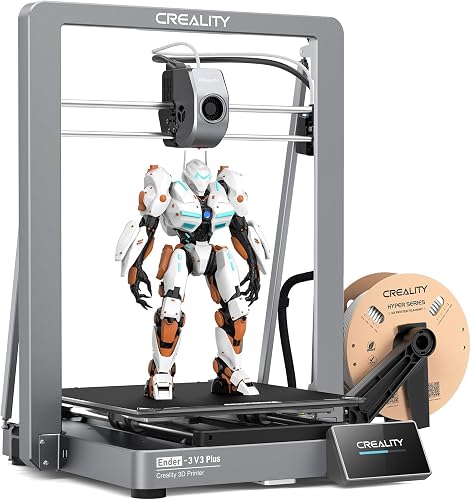
Creality Ender 3 V3 Plus: best 3D printer under 500 for a larger open frame
Creality Ender 3 V3 Plus: Best for open-frame projects
- 300 x 300 x 330 mm build volume
- Auto calibration leveling
- Direct-drive extruder
- Highly pre-assembled modules
The Ender 3 V3 Plus gives buyers a larger build volume in an open-frame design, along with auto calibration and a direct-drive extruder.
Pros
- Large stated build volume
- Auto calibration and leveling
- Quick-swap nozzle
Cons
- Open-frame design
- Larger prints need a clear, stable work area
The Ender 3 V3 Plus is built for buyers who want more room without choosing an enclosed printer. Its 300 x 300 x 330 mm build volume suits larger single prints or batches of smaller parts.
It includes auto calibration and leveling, a direct-drive extruder, highly pre-assembled modules and a quick-swap tri-metal nozzle with a hardened steel tip. Creality also describes automatic input shaping checks as part of calibration.
Choose the Ender 3 V3 Plus if build space matters more than an enclosure or multicolor system. Skip it if your room calls for a compact enclosed machine or you specifically want color printing included.
The printer buying checklist can help you decide which upgrade path fits.
How do you choose a 3D printer under 500 dollars?
Choose by the problem you want your next printer to solve. A larger volume, color system or enclosure is useful when it matches your regular work, but each can add space or workflow needs.
Is an enclosed 3D printer the right upgrade?
An enclosed printer is a good fit if you want a body around the print area or plan to use materials that call for an enclosed design. The P1S and Centauri Carbon are the enclosed picks in this group.
Compare their material guidance and exterior dimensions, then think about placement and ventilation. An enclosure doesn’t remove the need to follow safe-use instructions or to keep the printer in an appropriate space.
Is multicolor printing worth choosing?
Multicolor printing is worth considering if color is part of the final object and you’ll use the feature regularly. The A1 Combo includes AMS lite; the AD5X and Centauri 2 Combo support four colors.
Some systems require an added accessory. The P1S needs a Bambu Lab AMS for multicolor, and the Kobra 3 Max V2 needs an ACE 2 Pro.
Check the exact package before comparing the workflows.
If you mostly print functional parts in one color, a simpler single-color workflow may be the better fit. Color changes can add steps and material use, so match the system to the projects you actually expect to print.
What build volume will you use?
Start with the largest object you have wanted to print but could not fit on your current machine. A 220 mm cube suits smaller projects; the Ender 3 V3 Plus offers 300 x 300 x 330 mm, while the Kobra 3 Max V2 reaches 420 x 420 x 500 mm.
Build volume describes the printable area, not the table space the machine needs. Compare the printer’s outside dimensions with your work surface, doorways and access to controls before choosing a large model.
What setup and care should you plan for?
A reliable first print begins with a stable, level surface and enough room to reach the controls and remove the build plate. Follow the model’s assembly and calibration instructions, load the recommended filament correctly and run its guided first-print procedure.
Keep filament dry and clean, remove loose scraps from the build area and check the nozzle and build surface when print quality changes. Avoid forcing a print off the plate while it is hot; use the printer’s normal removal guidance and tools suited to its surface.
For a practical first-day checklist, follow our step-by-step 3D printer setup guide. Our PLA vs PETG guide explains how to choose between two common materials for home projects.
What mistakes should first-upgrade buyers avoid?
The most common buying mistake is choosing a feature because its number looks impressive. High speed matters less if you print small parts, and a huge build area is wasted if the printer cannot fit safely in your room.
Another mistake is assuming that multicolor hardware is included with every printer. Check whether the package includes the required system, and make sure the printer’s workflow matches your appetite for setup and filament changes.
Don’t choose material based only on a high nozzle temperature. Follow the printer’s material guidance, and consider ventilation, placement and the needs of the specific filament.
Finally, don’t treat auto leveling as a guarantee against every failed print. Clean surfaces, correct filament loading, suitable settings and a good first layer still matter.
Which best 3D printer under 500 dollars should you choose?
Choose the Bambu Lab P1S for an enclosed first upgrade with automatic bed leveling. Pick the A1 Combo if you want multicolor included, the Ender 3 V3 Plus for a bigger open-frame build, or the Kobra 3 Max V2 for oversized projects.
For a broader value comparison, see our best 3D printers for the money guide. If you’re still weighing features, use the simple 3D printer buying checklist.
Our top 3 picks at a glance
-
1
-
2
-
3
Frequently asked questions
What should I prioritize in a 3D printer under 500 dollars?
Start with the projects you want to make, then compare build volume, enclosure, calibration features and multicolor support. An enclosed printer may suit buyers planning to explore more filament types, while an open-frame model can fit basic PLA projects.
Check the printer's footprint and the space needed to use it.
Is an enclosed 3D printer better for a first upgrade?
An enclosed printer can make sense if you want a body around the print area or plan to explore materials beyond common beginner filaments. The P1S and Centauri Carbon both have enclosed designs.
Follow the printer's material guidance and safety instructions.
Is multicolor printing worth it for home use?
Multicolor printing is useful when your projects need colored parts in one print, such as decorative models or labels. It also adds a color system to set up and use, so compare the included accessories and color capacity before choosing.
For single-color functional parts, a multicolor system may not matter.
How large a build volume do most home buyers need?
A 220 mm cube can handle many small household projects, while a larger build area helps with bigger models or multiple parts in one batch. The Ender 3 V3 Plus lists a 300 x 300 x 330 mm volume, and the Kobra 3 Max V2 is much larger at 420 x 420 x 500 mm.
Measure the available table space as well as the printer's build volume.
What else do I need to start 3D printing?
Plan for filament, a stable work surface, basic cleanup tools and a place to store materials. Your printer's instructions will guide setup and first use.
See our 3D printing setup guide for a beginner checklist and first-day setup steps before your first print.