Best 3D Printers for the Money for Home Beginners: Top 8 Picks (October 2026)
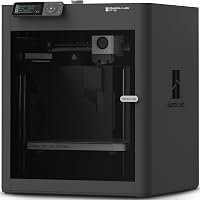
The best 3D printers for the money include the Bambu Lab A1 for everyday home projects, the Bambu Lab P1S for enclosed printing, and the Flashforge Adventurer 5M for nozzle changes.
On this page (5 sections)
The Bambu Lab A1 is the best 3D printer for the money for many home beginners, with automatic calibration and a roomy build area. It suits a range of first projects without making multicolor printing or advanced materials a requirement.
A good value is a printer that fits the objects you plan to make, the space you have and the amount of setup you want to handle. A headline speed figure matters less if the print area is too small or the extra systems you want cost more.
If you're comparing basic features, start with our plain guide to 3D printers for home use. The guide to what you need to start 3D printing at home can help you plan for filament and other essentials.
Our picks at a glance
-
1

-
2
-
3
How we chose 3D printers for the money
The Bambu Lab A1 leads because its automatic calibration and build area suit varied home projects. We compared the stated features, material support, setup needs, and which extras are required for multicolor printing.
A printer with automatic calibration may be easier to start with than one that calls for more manual steps. An enclosure, a quick-change nozzle, or built-in color options can matter more when your project plans call for them.
The scores reflect how well each printer's stated features fit the needs behind this search. The products appear in score order, and each has a distinct use case.
Which 3D printer gives you the most useful features for the money?
The Bambu Lab A1 is the strongest all-around pick in this group for many home beginners. Buyers who need an enclosure, built-in color options or an open printer with quick nozzle changes have better-matched alternatives below.
| Product | Best for | Build volume | Calibration | Multicolor | Our score |
|---|---|---|---|---|---|
| Bambu Lab A1 | everyday home projects | 256 x 256 x 256 mm | Automatic | AMS lite required | 9.0 |
| Bambu Lab P1S | enclosed printing | AMS required | 8.8 | ||
| Flashforge Adventurer 5M | nozzle changes | 8.6 | |||
| Anycubic Kobra X | multicolor beginners | 8.4 | |||
| Elegoo Centauri Carbon | advanced materials | 256 x 256 x 256 mm | 8.2 | ||
| Flashforge AD5M | ventilated workspaces | 220 x 220 x 220 mm | 7.9 | ||
| Creality Ender 3 V3 SE | basic first prints | 7.6 | |||
| Creality K2 SE | future color upgrades | CFS sold separately | 7.2 |
The best 3D printers for the money
The Bambu Lab A1 leads with a score of 9, followed by the Bambu Lab P1S and Flashforge Adventurer 5M. The picks below cover open and enclosed designs, different setup preferences, and optional or built-in multicolor paths.
Bambu Lab A1: Best for everyday home projects
- Automatic calibration
- 256 x 256 x 256 mm build volume
- Optional AMS lite for multicolor printing
- 1-Clip quick-swap nozzle
Automatic calibration and a roomy build area suit a first printer for varied home projects. Multicolor printing requires AMS lite, sold separately or included with an A1 Combo.
Pros
- Automatic calibration for each print
- Large build volume for an entry-level printer
- Active motor noise canceling
Cons
- AMS lite is required for multicolor printing
- The printer weighs 22 lb
The A1 suits a beginner who wants one machine for varied home projects. Its 256 x 256 x 256 mm build volume leaves room for larger models, while automatic calibration handles steps such as Z-offset and bed leveling for each print.
A touchscreen interface and 1-Clip quick-swap nozzle make everyday operation and nozzle changes more straightforward. Active motor noise canceling is a useful feature if the printer will sit near a work or living area.
Multicolor printing needs AMS lite, which is sold separately or included in an A1 Combo. If you expect to print in one color, there's no need to add that system to get started.
Choose the A1 for a broad home-use mix and less manual calibration. Skip it if you need an enclosure for the materials you plan to print or want color printing built in.
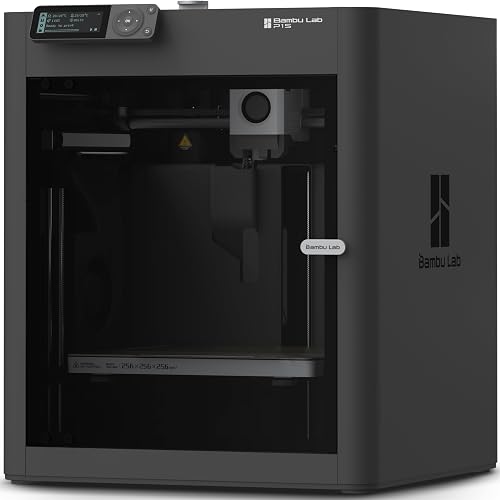
Bambu Lab P1S: Best for enclosed printing
- Enclosed design
- Automatic bed leveling
- Up to 16 colors with a separate AMS
- Ideal for PLA, PETG, TPU, PVA, PET, ABS and ASA
The enclosure and automatic bed leveling suit buyers who want a printer designed for advanced filaments. Multicolor printing requires a separate AMS.
Pros
- Enclosed body
- Automatic bed leveling
- Supports several everyday and advanced filaments
Cons
- AMS is required for multicolor printing
- The printer weighs 38.9 lb
The P1S suits buyers who want an enclosed printer and plan to use a wider range of materials. It has automatic bed leveling and is designed to improve printing with advanced filaments.
Its ideal materials include PLA, PETG, TPU, PVA, PET, ABS and ASA. It can also handle PA and PC, and supports up to 16 colors when paired with a separate AMS.
The P1S weighs 38.9 lb, so decide where it will sit before setup. The enclosure and broader material range are useful if your projects call for them, but can be more than a first-time PLA user needs.
Choose the P1S if an enclosure and material options are central to your plans. Skip it if you want a lighter, open setup for basic single-color prints.
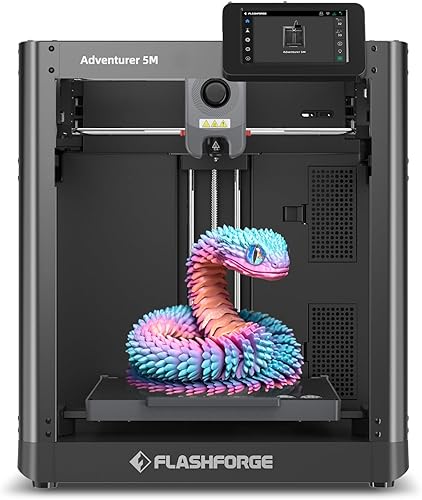
Flashforge Adventurer 5M: Best for nozzle changes
- Automatic bed leveling
- 3-second nozzle changes
- 220 x 220 x 220 mm print size
- Remote monitoring through Flash Studio
Automatic leveling and quick nozzle changes suit buyers who want a fast workflow for home projects. Its stated print size is smaller than the A1's.
Pros
- Automatic bed leveling
- Quick nozzle changes
- Remote monitoring and status alerts
Cons
- Open design
- Smaller print size than the A1
The Adventurer 5M suits buyers who value quick nozzle changes and remote monitoring. Its nozzle can be changed in 3 seconds, which is useful if you expect to switch nozzle sizes for different kinds of prints.
Its 220 x 220 x 220 mm print area fits many home projects, though it leaves less room for large single-piece models than the A1. The Flash Studio app can monitor progress, adjust settings and send status alerts remotely.
The open design calls for a well-ventilated placement area. Leave enough room around it for access and routine care.
Choose this printer if an open setup, remote monitoring and quick nozzle changes match your workflow. Skip it if you need an enclosure or a larger build area.
Anycubic Kobra X: Best for multicolor beginners

- 4 colors built in
- 260 x 260 x 260 mm print size
- Automatic bed leveling
- Supports PLA, PETG, TPU, PVA and ASA
Four built-in colors and a large print size suit buyers who expect to use multicolor printing. Filament is not included.
Pros
- Four colors built in
- Large print size
- Automatic bed leveling
Cons
- Filament must be bought separately
- More color options require extra ACE 2 Pro units
The Kobra X suits buyers who expect to make multicolor prints. Four colors are built in, and the print size is 260 x 260 x 260 mm, the largest stated cube in this group.
It supports PLA, PETG, TPU, PVA and ASA. Automatic bed leveling uses a 49-point calibration system, and app monitoring includes spaghetti and foreign object detection.
Filament is not included, so plan to buy spools separately. Expansion to as many as 19 colors requires four ACE 2 Pro units, which are additional equipment.
Choose the Kobra X if color is central to your projects and you want it built into the starting setup. Skip it if you'll mainly print simple single-color models and prefer to keep the workflow and materials list small.
Elegoo Centauri Carbon: Best for advanced materials

- Enclosed chamber
- 256 x 256 x 256 mm build volume
- Automatic calibration
- Built-in camera and dual LED lighting
The enclosed chamber, auto bed leveling and built-in camera suit buyers looking for features for advanced filament projects. Its advanced-material focus may exceed what a first printer needs.
Pros
- Assembled and pre-calibrated
- Enclosed chamber
- Built-in camera and lighting
Cons
- Weighs 38.5 lb
- Advanced-material features may be unnecessary for simple first projects
The Centauri Carbon suits buyers who want an enclosed design and features for advanced materials. It arrives assembled and pre-calibrated, with touchscreen controls and a 256 x 256 x 256 mm build volume.
Its 320°C nozzle and enclosed chamber are designed for advanced filaments, including carbon-fiber-reinforced filament. A built-in camera and dual LED lighting support print monitoring, while the die-cast aluminum frame is designed to limit vibration.
Those features are useful when your projects need them, but may add complexity without benefit for basic PLA models. The printer weighs 38.5 lb, so plan a stable place for it before setup.
Choose the Centauri Carbon for an enclosed printer with camera monitoring and advanced-material support. Skip it if your first projects are simple and you want only the basics.
Flashforge AD5M: Best for ventilated workspaces

- One-click automatic leveling
- 220 x 220 x 220 mm build volume
- Quick-change nozzles
- Flexible removable PEI steel plate
One-click leveling and a removable build plate keep the basic printing routine straightforward. Its open design is intended for well-ventilated spaces.
Pros
- Automatic leveling
- Quick-change nozzles
- Removable flexible build plate
Cons
- Designed for use in a well-ventilated space
- Smaller build volume than the A1
The AD5M suits buyers who want automatic leveling, quick-change nozzles and a flexible build plate. Its 220 x 220 x 220 mm build volume fits many small home models and practical prints.
It supports PLA, PETG and TPU with a 0.4 mm nozzle, as well as PLA-CF and PETG-CF with a 0.6 mm nozzle. Optional nozzle sizes range from 0.25 mm to 0.8 mm, giving you choices for detail or print efficiency.
The AD5M is an open printer intended for well-ventilated spaces. Its features overlap with the Adventurer 5M, so compare the two if quick nozzle changes are a priority.
Choose it for an open printer with automatic leveling and a removable plate. Skip it if you want an enclosure or need a larger print area.
Creality Ender 3 V3 SE: Best for basic first prints

- CR Touch auto leveling
- Automatic Z-offset calibration
- Supports PLA, PETG and TPU
- Flexible PC spring steel build plate
The Ender 3 V3 SE supports everyday filament types and adds auto leveling to its setup. It's a straightforward option for buyers who don't need multicolor printing.
Pros
- Auto leveling and Z-offset calibration
- Supports PLA, PETG and TPU
- Flexible plate helps with print removal
Cons
- No multicolor feature described
- No enclosed design
The Ender 3 V3 SE suits a first-time buyer focused on straightforward, everyday prints. It supports PLA, PETG and TPU, with CR Touch auto leveling and automatic Z-offset calibration.
A flexible PC spring steel plate helps with removing finished prints. Dual synchronized Z-axis lead screws and a silent mainboard are designed to reduce vibration and operating noise.
It does not have a multicolor feature or an enclosed design described here. That makes it a focused choice for learning with everyday filament, rather than a fit for buyers who already know they need more specialized features.
Choose the Ender 3 V3 SE if a basic first printer with automatic leveling meets your plans. Skip it if you want built-in color options, an enclosure or a larger build area.
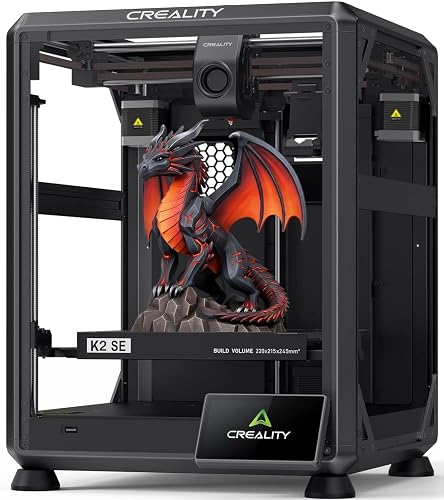
Creality K2 SE: Best for future color upgrades
- Automatic leveling
- 220 x 215 x 245 mm print size
- CFS multicolor system sold separately
- Quick-swap nozzle
The K2 SE offers automatic leveling and compatibility with the separately sold CFS for multicolor printing. It suits buyers who want that option later.
Pros
- Automatic leveling
- CFS multicolor compatibility
- Quick-swap nozzle
Cons
- CFS is sold separately
- CFS is not included
The K2 SE suits buyers who want the option to add Creality CFS multicolor printing later. It has automatic leveling, a quick-swap nozzle and a 220 x 215 x 245 mm print size.
The CFS is sold separately. With that system, the printer supports automatic filament identification, tangle and run-out detection, and multicolor slicing with Creality Print.
Creality describes a guided setup with automatic bed leveling, fan calibration and first-time tuning. If you don't expect to add the CFS, consider whether the other features make this a better fit than a simpler single-color printer.
Choose the K2 SE if you want to start with single-color printing and may add CFS later. Skip it if you want multicolor from the start without buying an extra system; the Kobra X has four colors built in.
How do you choose a 3D printer for the money?
Start with the parts you plan to make, then match their size and material to the printer. Setup preferences, placement and whether you truly need multiple colors help narrow the shortlist.
What build space should you choose for the money?
Choose enough build space for your largest likely project, while accounting for where the printer will sit. A larger area can let you print a larger object in one piece, but it also takes more room.
The A1 and Centauri Carbon each offer a 256 mm cube build volume, while the Kobra X has a 260 mm cube print size. The Adventurer 5M, AD5M and Ender 3 V3 SE each have a 220 mm cube area.
Write down the dimensions of one or two things you hope to print. If each fits the smaller area, you may not gain much from choosing a bigger machine.
For more help comparing printer size and home placement, see our guide to 3D printers for home use.
Which 3D printer for the money is easiest to set up?
Look for the kind of setup help that fits your comfort level, such as automatic calibration, one-click leveling or a guided first-run process. The A1 automates several calibration steps, while the Ender 3 V3 SE includes auto leveling and automatic Z-offset calibration.
Automatic leveling reduces some manual steps, but it doesn't prepare the whole job for you. You'll still need to follow the setup instructions, load filament correctly and check that the first layer is forming as expected.
Set the printer on a stable surface, allow room to reach the build plate and spool, and check that the planned location suits its open or enclosed design. Our step-by-step 3D printer setup guide covers the first day in more detail.
Is multicolor printing worth paying extra attention to?
Multicolor printing makes sense when your designs use several colors in a single print. It adds equipment and material choices on some of these printers, so decide whether those projects are likely before paying for a color system.
The A1 needs AMS lite, the P1S needs an AMS, and the K2 SE is compatible with a separately sold CFS. The Kobra X starts with four built-in colors, while expansion requires additional ACE 2 Pro units.
If you are unsure, start with single-color prints and learn the regular workflow first. You can revisit color options once you have designs that benefit from them.
Which filament should a new printer owner start with?
Start with a material that suits your first models and is supported by the printer. PLA is a common choice for simple home prints, while some picks here also support PETG or TPU.
Material support varies. The Ender 3 V3 SE supports PLA, PETG and TPU, while the P1S is suited to a broader selection that includes ABS and ASA.
Don't choose an advanced-material printer just because it can reach a high nozzle temperature. If you mainly want everyday models, that capability may not help your first projects.
Our PLA vs PETG guide explains how those materials differ.
How should you prepare a home workspace?
Choose a stable, accessible place with enough room for the machine and the materials you plan to use. Open designs such as the Adventurer 5M and AD5M are intended for well-ventilated spaces.
Think about the daily routine as well as the printer footprint. You should be able to reach the build plate, remove prints, load filament and keep the machine clear of clutter.
If noise matters because the printer will share a room, compare features that address operating sound. The A1 has active motor noise canceling, and the Ender 3 V3 SE has a silent mainboard described as helping reduce operating noise.
For additional room-specific ideas, read our 3D printer noise reduction guide.
What care helps keep prints consistent?
Keep the build area and plate clean, and follow the printer's instructions for routine care. A clean plate and correct first-layer setup help prevent a common beginner mistake: assuming a failed first layer means the whole printer needs adjustment.
Use the right nozzle and material settings for the job. For example, the AD5M's stated support for PLA-CF and PETG-CF is paired with a 0.6 mm nozzle, so don't assume every material works with every nozzle.
Store filament in a clean, dry place and check it before a long print. If a print fails to stick, our guide to fixing 3D printer adhesion can help you work through the likely setup causes.
What mistakes should new 3D printer buyers avoid?
The most common buying mistake is choosing a printer around an impressive feature that you won't use. A speed-focused machine may not be the best fit if you care more about a simple setup, while an enclosure may be unnecessary for basic PLA models.
Another mistake is overlooking add-on costs and configuration details. The A1, P1S and K2 SE need separate color systems for multicolor printing, and the Kobra X does not include filament.
Finally, avoid buying too little or too much print area. Compare the largest model you expect to make with the printer's stated size, and leave room for the printer itself in your home.
Which 3D printer is the best value for your projects?
For the best 3D printer for the money, pick the Bambu Lab A1 if you want automatic calibration and a roomy build area for varied home prints. Choose the P1S for an enclosure and broader material options, the Kobra X for four built-in colors, or the Ender 3 V3 SE for a basic start with everyday filament.
Before deciding, list the prints you expect to make, check their size, and measure the space where the printer will sit. If you are still comparing entry-level options, use our starter 3D printer guide and at-home setup checklist.
Our top 3 picks at a glance
-
1
-
2
-
3
Frequently asked questions
What is the best 3D printer for the money for a beginner?
The Bambu Lab A1 suits many beginners because it combines automatic calibration with a 256 x 256 x 256 mm build volume. Choose based on the projects you expect to print, the room you have and whether you want multicolor printing.
The A1 needs AMS lite for multicolor prints.
Is an enclosed 3D printer worth choosing for home use?
An enclosure can be useful if you want a printer designed for advanced filaments or prefer an enclosed setup. The Bambu Lab P1S and Elegoo Centauri Carbon both have enclosed designs.
For simple PLA projects, an open printer may meet your needs.
Compare the printer's supported materials with what you plan to make.
Do beginner 3D printers need automatic bed leveling?
Automatic bed leveling can reduce manual setup steps, which may help if you're new to printing. The A1, P1S and several other picks here offer automatic leveling or calibration.
It doesn't remove the need to prepare the printer and follow its setup instructions.
Choose a model whose whole workflow fits your comfort level.
Do these printers include multicolor printing?
Some offer multicolor printing only with an additional system. The A1 needs AMS lite, the P1S needs an AMS, and the K2 SE is compatible with a separately sold CFS.
The Kobra X has four colors built in.
Check what comes with the configuration you choose before planning color prints.