How Much Is a 3D Printer for Home Use?
How much is a 3D printer for home use? The total depends on the printer’s features, filament, and setup supplies. Choose a basic model for learning, and budget for extras only when your projects call for them.
On this page (6 sections)
How much is a 3D printer for home use? The cost depends on the features you want and the supplies you need to get started.
Set aside money for filament and basic tools, then consider optional features such as an enclosure or multicolor printing.
The printer is only one part of your first setup. A simple machine can leave more room in your budget for supplies, while a bundle with extra equipment may fit projects that need those features.
How much is a 3D printer for home use?
Your total depends on the printer, the supplies you need, and the extras you choose. A basic setup can be focused on learning and everyday prints, while a more feature-rich setup may include an enclosure or multicolor equipment.
Think about the budget in three parts: the printer, essentials for getting started, and optional upgrades. This helps you compare the machine itself without forgetting that you’ll also need material to print.
A first setup often includes filament, a way to remove finished prints, and a clear, stable place for the machine. The exact essentials can vary, so check the setup instructions for the model you choose before buying tools.
Our guide to what you need to start 3D printing at home covers the basic supplies. For an overview of the buying decision, see our plain guide to 3D printers for home use.
Which features can raise a 3D printer budget?
Automation, an enclosure, and multicolor capability add features that may suit particular projects. Decide whether you’ll use them before paying for a more involved setup.
How much does automatic calibration matter on a 3D printer?
Automatic calibration can reduce the manual setup involved before printing. The Creality Ender 3 V3 SE has CR Touch auto leveling and automatic Z-offset calibration, and the Bambu Lab A1 handles calibration automatically.
The Ender 3 V3 SE also has a direct-drive extruder for PLA, PETG, and TPU, plus a flexible spring steel build plate for removing prints. Consider it if you want those features in a starter printer and are comfortable assembling it in a few steps.
Skip it if you want a machine that arrives ready for a more automated setup.
The A1 has a touchscreen, active motor noise canceling, and a quick-swap nozzle. Its multicolor capability needs AMS lite, which is sold separately or as part of an A1 Combo.
Choose it for a beginner-friendly setup with automatic calibration; skip the multicolor add-on if you plan to print in one color.
Is an enclosed printer worth the added cost?
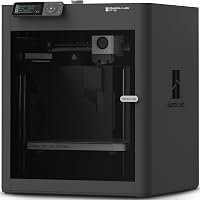
An enclosure can be a reason to choose a more feature-rich printer, especially if the materials you plan to use suit that setup. The Bambu Lab P1S Combo pairs an enclosed design with an included AMS for multicolor printing.
That combination may be more than you need for simple PLA prints. If you’re learning the basics or expect to print in one color, compare it with a simpler model before choosing a bundle.
The Bambu Lab P2S Combo also has an enclosure and includes an AMS 2 Pro with filament drying up to 65°C. The Combo supports multicolor printing; the P2S printer without the Combo does not.
Choose the P2S Combo if you expect to use its multicolor setup and filament drying. Skip it if those features won’t help with your planned prints, since the added equipment also needs a place in your home.
What supplies should you include in your first budget?
Start with suitable filament and the basic tools your setup requires. Add storage, extra build surfaces, or specialty materials when a real project calls for them.
Filament is an ongoing cost because each print uses material. PLA is a common starting choice, but check which materials your printer supports and follow the printer’s guidance for the filament you buy.
Set aside room in your budget for print removal and cleanup tools if they aren’t included. Keep your work area clear, and avoid buying a large set of accessories before you know what your printer and routine require.
For first-day instructions, read how to set up a 3D printer. If you’re deciding between common materials, our PLA vs PETG guide explains what to consider before you buy another type of filament.
How do you set up a 3D printer without overspending?
Use the printer’s setup instructions and buy only the supplies needed for your first prints. A short setup plan helps you spend on essentials before optional upgrades.
- Pick a clear, stable spot for the printer, with enough room to work around it.
- Assemble the machine according to its setup instructions.
- Complete its calibration steps before starting a print.
- Choose a supported filament and begin with a straightforward project.
- Add tools or accessories when you find a specific need.
A common beginner mistake is buying extra equipment before knowing which features matter. Another is choosing a printer for a long list of capabilities, then using only basic single-color prints.
Start with the projects you actually want to make and compare the included features against them.
Keep filament and tools organized so the work area stays clear. Follow the printer’s guidance when loading filament, preparing a print, and removing it from the build plate.
If the first print does not stick, check the setup and first-layer instructions before buying upgrades.
Is a cheaper 3D printer enough for a beginner?
A simpler printer can be enough if you want to learn with everyday projects and can follow its setup steps. Spend more when a particular feature, such as automatic calibration or multicolor printing, will make a real difference to your use.
A basic machine gives you room to learn how to prepare a print, manage the first layer, and remove a finished model. It can also leave more of your budget for filament and essential supplies.
A feature-rich printer makes more sense when you already know what you need. Automatic calibration can reduce manual adjustments, while an enclosure or multicolor system may suit projects that call for those capabilities.
Consider the space and time a printer will take up before buying. Our guide on whether you should buy a 3D printer can help you decide whether home printing fits your plans.
Which 3D printer budget fits your plans?
Choose the simplest printer that covers your planned projects, then pay for extra features only when you expect to use them. Keep filament and setup supplies in your budget alongside the printer.
Pick the Creality Ender 3 V3 SE if you want auto leveling and a direct-drive extruder and are prepared for a few assembly steps. Choose the Bambu Lab A1 if automatic calibration, a touchscreen, and a quick-swap nozzle fit your priorities; add AMS lite or choose the Combo only if you want multicolor printing.
Choose the P1S Combo if you want an enclosed printer with an included AMS.
The P2S Combo fits buyers who will use its AMS 2 Pro and built-in filament drying. If you don’t need those features, put your budget toward a simpler setup and the filament you’ll use first.
For a side-by-side look at value-focused options, see the best 3D printers for the money. If you’re still asking how much is a 3D printer for your home, write down your first few projects, choose the features they need, and budget separately for supplies.
Frequently asked questions
How much does a 3D printer cost for home use?
How much a home 3D printer costs depends on the features you need and the supplies you buy. Your budget may include filament, basic tools, and optional equipment such as a multicolor system.
Compare each printer’s features with your planned projects, then keep a separate amount for supplies.
Is 3D printing expensive after you buy the printer?
It can bring ongoing costs for filament, replacement parts, and tools. You can start with one spool and a few basic supplies, then spend more as you print larger projects or use extra features such as multicolor printing.
How often you print and what you make will shape your ongoing material needs.
What should I budget for besides a 3D printer?
Plan for filament and any basic tools your setup needs for removing prints and keeping the work area tidy. Storage for filament, extra build surfaces, and multicolor equipment are optional additions.
Follow your printer’s setup instructions first, then add supplies when you have a clear reason.
Is a more expensive 3D printer worth it for a beginner?
A higher-priced printer may suit a beginner when its features answer a real need, such as easier calibration, an enclosure, or multicolor printing. A simpler model may be enough if you want to learn with basic prints.
List your projects and the features they require before choosing.