Which 3D Printer Should You Buy? A Simple Checklist
For most home projects, buy an FDM printer; choose resin for small models where fine detail matters most. If you’re asking which 3D printer you should buy, start with your projects, workspace and preferred setup routine.
On this page (7 sections)
- Which 3D printer should I buy for my projects?
- How much space and setup can you handle?
- Which features matter when choosing a 3D printer?
- Should I buy a resin printer for miniatures?
- What should you budget for the complete setup?
- What common 3D printer buying mistakes should you avoid?
- Which 3D printer should you buy from this shortlist?
If you’re wondering which 3D printer you should buy, start with an FDM model for general home projects and choose resin for small prints where fine detail matters most. Then match the printer’s size, features and setup routine to what you plan to make.
Write down 2 or 3 first projects before comparing models. A phone stand, replacement hook and storage tray point toward a different printer than detailed miniature figures or multicolor display pieces.
For a broader introduction, start with our plain guide to 3D printers for home use. It helps you picture the printer as part of a routine: choose a model, prepare it in software, print it, then remove and finish the result.
Which 3D printer should I buy for my projects?
For mixed home projects, an FDM printer is the practical starting point; a resin printer suits small, detail-focused models. Choose according to the objects you expect to make most, not a feature that sounds useful in theory.
FDM printers shape objects from filament. They suit many everyday parts, organizers and larger prints, and you can choose among materials that each have different properties and handling needs.
Resin printers use light to cure liquid resin into a model. They can suit small figures and detailed display pieces, but the workflow includes handling resin and washing and curing finished prints.
If you are still weighing material, project size and supplies, read what you need to start 3D printing at home. That list can help you plan the whole setup before choosing a machine.
What should you print first?
Choose a model you expect to use or enjoy, then check its size and whether it needs supports, several parts or a material beyond your starting plan. A simple first print makes it easier to learn the basic steps one at a time.
A tall decorative object may take longer and need more finishing than a small, flat part. Start with a project that fits your printer and material, and save complex designs for when you’re comfortable preparing files and handling print problems.
Should I buy an FDM or resin printer?
Choose FDM for general-purpose prints and resin for fine details on smaller pieces. Resin cleanup and curing are part of the choice, so plan the workspace and supplies before buying.
| Your main goal | Start by comparing |
|---|---|
| Organizers, brackets or household parts | FDM |
| Larger one-piece objects | FDM and its build volume |
| Detailed miniatures or small models | Resin |
| Prints in several colors | FDM options with a multicolor system |
| Fewer manual setup steps | FDM models with automatic calibration |
These categories are a useful first filter. Next, check that a specific model’s material support, usable print area and instructions match the objects you want to make.
How much space and setup can you handle?
Choose a printer that fits the whole printing routine, including access and supplies. The printer’s footprint is only part of the space question: you may need room to load material, remove prints and finish a resin model.
Measure the intended spot and the route to it. Leave access to the controls and parts you’ll handle, and decide where tools, spools, resin and post-processing supplies will live.
Consider noise if the printer will run near a bedroom, shared room or work area. Our 3D printer noise reduction guide covers ways to think about placement and noise in a home.
Setup also means choosing a workflow you’re willing to repeat. Automatic calibration can reduce manual steps, while starting with one material and one color keeps early projects easier to manage.
Is a 3D printer easy to use for a complete beginner?
A beginner can learn the routine, but choosing a model with automatic calibration may reduce some manual setup work. You’ll still need to prepare a file, load material and pay attention to prints.
Our guide to whether a 3D printer is easy to use for beginners explains the learning curve. Read how to set up a 3D printer for a practical picture of the first day.
Do you need a multicolor printer?
Choose multicolor if several colors in one print are part of projects you already want to make. If most of your ideas work in one color, begin with a simpler setup and reconsider after you’ve learned the basic workflow.
Some printers require an additional unit for multicolor printing. Check what comes with the specific configuration you’re considering, and account for the extra equipment and material choices in your space and setup plans.
Which features matter when choosing a 3D printer?
Focus on build volume, calibration, enclosure and material support only when they change what you can make. A short list tied to your projects helps more than chasing every headline feature.
- Build volume: Compare the usable space with the largest object you plan to print. If it won’t fit, you may need to split the model into parts.
- Automatic calibration: Useful if you want fewer manual setup adjustments before printing.
- Enclosure: Consider the printer’s design and supported materials together, then check whether it fits your intended setup.
- Multicolor system: Worth considering when color changes are part of your regular projects, not just a one-off idea.
- Resin detail features: Compare resolution and the resin workflow if small, detailed models are your focus.
Treat speed as one factor in a larger decision. Model size, shape and print settings affect how long a job takes, so a speed figure alone won’t tell you how well a printer suits your routine.
Which 3D printer should I buy if I want multicolor?
Choose a multicolor FDM setup if making prints with several colors is a real goal. The Bambu Lab A1 supports multicolor printing with AMS lite, which is required separately unless you choose an A1 Combo.
The A1 also has a 256 x 256 x 256 mm build volume, so it suits projects that need more room than a compact entry-level machine. Skip it if you need an enclosed printer or don’t expect to use the multicolor option.
Does an enclosure matter?
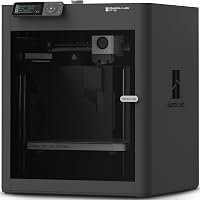
An enclosed printer may suit you when its design and material support match the projects you plan to print. The Bambu Lab P1S Combo has an enclosed body and includes an AMS for multicolor printing.
The P1S Combo supports PLA, PETG, TPU, PVA, PET and ABS. It can also use PA and PC, while carbon or glass fiber reinforced polymer is not recommended.
This is the choice for someone who wants the enclosure and included color system as part of the setup. Skip it if you want a simpler single-color printer and don’t have a use for those added capabilities.
Is a fast printer the right choice?
A speed-focused printer makes sense if you print often and its other features also suit your projects. The Flashforge Adventurer 5M has automatic bed leveling, a direct drive extruder and a quick-change nozzle.
It’s a single-color option in this shortlist. Choose it if you want an FDM printer with speed-oriented features and don’t need multicolor printing; skip it if several colors in one print are central to your plans.
Should I buy a resin printer for miniatures?
Choose resin when small-scale detail is your main priority and you can manage liquid resin and post-processing. The Elegoo Mars 5 Ultra uses a 9K mono LCD and has an AI camera that monitors prints.
The Mars 5 Ultra is built for a different routine than an FDM printer. Before choosing it, plan for resin handling, washing and curing, and follow the printer and resin safety instructions.
It’s a strong fit for miniature and detail-focused work. Skip it if you want to print everyday objects from filament or don’t want resin cleanup as part of the process.
For more options, compare our best resin 3D printers for beginners and best resin 3D printers for miniatures.
What should you budget for the complete setup?
Set aside money for the printer and the supplies needed to use it. Filament or resin is one part of the setup; you may also need tools, storage or resin post-processing equipment.
A single-color FDM setup can avoid the extra equipment involved in multicolor printing. A resin setup needs planning for washing and curing supplies as well as resin and a suitable place to handle it.
Read how much a 3D printer costs for home use for a fuller cost checklist. Compare what you need to begin with items you can add later.
What common 3D printer buying mistakes should you avoid?
The most common mistake is choosing a printer before deciding what you’ll make. A large build area, multicolor setup or resin detail feature only matters if your projects call for it.
Avoid these traps:
- Buying for a rare project: If most of your prints are small and simple, don’t let one ambitious idea drive every part of the purchase.
- Confusing speed with ease: Fast printing doesn’t remove file preparation, material loading or the need to keep an eye on a job.
- Forgetting the surrounding space: Plan access for print removal and room for materials, tools and any resin finishing supplies.
- Assuming multicolor is included: Check whether the configuration includes the extra equipment that its color system needs.
- Choosing resin for detail without planning cleanup: Make sure you’re willing to handle washing and curing as part of each resin print.
- Buying for materials without checking support: Match the printer’s supported materials to your intended projects.
A good shortlist has 2 or 3 models that match your actual needs. If your only reason to prefer one model is a feature you may never use, remove that feature from the decision.
Which 3D printer should you buy from this shortlist?
Choose the Bambu Lab A1 for a general-purpose FDM starting point with automatic calibration and optional multicolor. Pick the Flashforge Adventurer 5M for a speed-focused single-color FDM option, the P1S Combo for an enclosed setup with AMS included, or the Mars 5 Ultra for detail-focused resin prints.
Use this decision path:
- Choose your print type: FDM for general objects and filament; resin for small, detailed models.
- Name your first projects: Use their size and material needs to narrow the choices.
- Measure the location: Allow room for access, supplies and the work that happens after printing.
- Pick only needed extras: Decide whether you’ll use an enclosure, multicolor setup or resin detail features.
- Check the workflow: Make sure setup, material handling and cleanup suit your routine.
- Compare your shortlist: Our best 3D printers for the money guide can help you weigh home-friendly options.
Buy the simplest printer that fits your real projects and workspace. If you’re still deciding whether you’ll print often enough to use one, read questions to ask before buying a 3D printer before choosing a model.
Frequently asked questions
Which 3D printer should a beginner buy?
A beginner making household objects, organizers or larger general projects should start with an FDM printer, then compare features that reduce setup work, such as automatic calibration. For small models with very fine detail, compare resin printers, but plan for resin handling and post-processing before choosing.
Should I buy an FDM or resin 3D printer?
Choose FDM for a broad range of everyday projects and filament materials, or resin for small prints where fine surface detail is the main goal. Resin printing involves handling liquid resin and washing and curing prints, so account for that extra workflow and workspace.
Do I need a multicolor 3D printer?
You only need multicolor printing if color changes within a model are part of the projects you expect to make. A multicolor setup can add equipment and workflow choices, so first decide whether single-color prints meet your needs and whether you have room for the extra system.
How much space do I need for a 3D printer?
Measure the printer's footprint and leave working room for the build plate, material handling and routine access. Also consider noise, ventilation and where you will store materials and post-processing supplies; the best location depends on the printer type and its instructions.
What should I check before buying a 3D printer?
Check that the printer suits your planned projects, fits its intended location, supports the materials you want and matches your comfort with setup and maintenance. Compare the full workflow, including software, color changes or resin cleanup, rather than choosing from speed or one headline feature alone.