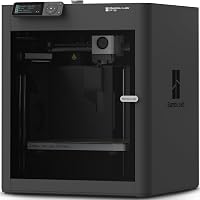
Creality K1C vs K2: Which to Buy? (November 2026)
Choose the Creality K2 Combo for multicolor prints and a bigger build volume; choose the K1C for a smaller, cheaper-feeling printer built for carbon fiber. In this Creality K1C vs K2 comparison, your color needs and print size decide it.
On this page (11 sections)
Choose the Creality K2 Combo for multicolor prints and a bigger build volume; choose the K1C for a smaller, cheaper-feeling printer built for carbon fiber. In this Creality K1C vs K2 comparison, your color needs and print size decide it.
The K2 Combo scores 8.1 and the K1C scores 6.4. That gap is mostly about what the printer can do, not how well it prints a single-color part.
Our score weighs specs, features and buyer feedback against what you're shopping for. A buyer who only prints one color in PLA may not care about the K2's CFS at all.
Here is how the two printers compare, and which one fits your bench.


Creality K1C vs K2 at a glance
The K2 Combo wins on features and build size; the K1C wins on simplicity and footprint. The table below puts the two side by side.
| Feature | Creality K2 Combo | Creality K1C 3D Printer |
|---|---|---|
| Build volume | 260 x 260 x 260 mm | Smaller than the K2 |
| Multicolor | Up to 16 colors with 4 CFS units | Single extruder |
| Speed | 600 mm/s | 600 mm/s |
| Motion | CoreXY with step-servo motors | CoreXY |
| Nozzle | Hardened steel, up to 300 °C | Quick-swap tri-metal |
| Camera | AI camera | AI camera |
| Noise | Silent Mode | Silent Mode, 45 dB or less |
| Weight | 65.9 lb | 27.5 lb |
| Score | 8.1 | 6.4 |
Both printers run a CoreXY motion system and top out at 600 mm/s. The K2 Combo adds multicolor, a bigger cube and heavier step-servo motors.
The K1C is much lighter at 27.5 lb. The K2 Combo weighs 65.9 lb, so plan for a two-person lift and a sturdy table.
The K2's frame uses aerospace-grade aluminum with a steel X-axis rail and dual Z-axis, according to Creality. That's the structure behind its layer consistency and low wobble at speed.
If you're also comparing Creality's bigger machines, our Creality K2 Plus vs K2 Pro breakdown covers the step up in size.
Build volume decides most projects
The K2's 260 mm cube fits larger models in one piece; the K1C needs splitting for bigger prints. Pick by the largest object you expect to print.
Creality lists the K2 Combo at 260 x 260 x 260 mm, which covers helmets, large organizers and multi-part assemblies without cutting them into slices. That volume is the single biggest practical difference between the two.
A larger cube also helps with multicolor jobs. Color changes and purge towers eat build space, so a bigger bed leaves more room for the actual model.
Smaller prints like figures, brackets and replacement parts fit either printer. If your models rarely pass 200 mm in any direction, build volume stops being the deciding factor.
How to measure your largest model
Take your tallest and widest print and add a margin of 10 to 20 mm on each axis. The extra space covers brims, purge lines and the slicer's plate offset.
Then check the diagonal. A model can fit inside a 260 mm cube on paper but still crowd the purge area once the CFS starts changing colors on the same plate.
Multicolor changes the workflow
The K2 Combo prints in up to 16 colors with four CFS units; the K1C prints one color at a time. Choose multicolor only if you'll use it.
The K2 Combo includes one CFS unit and supports up to four linked together. That gives you 16 color slots without painting afterward.
Each CFS unit handles filament loading and keeps spools in an airtight space with desiccants. The K2 also reads filament info by RFID and switches spools automatically.
That saves manual swaps on long multicolor jobs. It also adds hardware beside the printer, so measure your bench before ordering.
The K1C is a single-extruder machine. It prints one filament at a time, so color changes mean pausing and swapping a spool by hand.
If most of your prints are one color, the K1C's simpler setup is a feature, not a gap. Multicolor adds maintenance points you may not want.
Our Elegoo Centauri Carbon vs Bambu P1S comparison shows how other multicolor setups stack up.
Carbon fiber and material range
The K1C is the carbon fiber specialist; the K2 Combo covers more materials overall. Match the printer to the filament you plan to buy.
The K1C pairs a closed chamber with a hardened steel nozzle tip. Creality says it handles PLA-CF, PETG-CF, PA-CF and PET-CF, along with PLA, ASA and TPU.
That closed chamber helps hold heat around the part. For stiff, abrasion-resistant functional parts, the K1C is the more targeted choice.
The K1C's extrusion system is built around that goal. The steel-tipped copper nozzle and titanium alloy heatbreak form one unit, which blocks thermal creep and makes nozzle swaps quick.
Creality says the extruder grips filament tightly without slackening and runs 1,000 hours clog-free. That matters with abrasive carbon fiber blends that wear down softer nozzles faster.
The K2 Combo also covers carbon fiber. Creality lists PLA, PETG, ABS, PLA-CF and PET as supported materials, and the direct drive extruder with a hardened steel nozzle reaches up to 300 °C.
Its hotend moves up to 40 mm³/s of filament. High flow matters when you print at 600 mm/s and don't want the extruder to become the bottleneck.
Where the K2 Combo pulls ahead is the broader material menu, including ABS. ABS tends to warp without controlled cooling, so the K2's enclosed frame helps there.
Neither printer is a closed industrial machine. Both are desktop printers aimed at home and small shop use.
Speed and print quality
Both printers claim 600 mm/s, so speed alone won't separate them. The K2's step-servo motors are the more interesting difference.
The K1C uses Creality's compact CoreXY system with vibration resistance. Creality rates it at up to 20,000 mm/s² acceleration and calls it 12 times faster than a typical 3D printer.
The K2 Combo uses three step-servo motors across the extruder and X/Y axes. Creality says they adjust torque in less than a millisecond, which helps with speed, extrusion consistency and noise.
The K2 Combo also matches the 20,000 mm/s² acceleration figure. So both machines share the headline speed and acceleration numbers, and the difference shows up in how each one holds accuracy at those speeds.
In practice, high speed matters most on large models. A big print on the K2's 260 mm bed benefits from fast travel more than a small keychain does.
Print quality depends on tuning, filament and slicer settings as much as on the hardware. A well-tuned K1C will beat a poorly tuned K2 on the same part.
Noise and living space
Both offer a silent mode, so the quieter printer is the one with more space around it. Plan for the footprint and the CFS units.
Creality rates the K1C at 45 dB or less in silent mode and describes it as quiet as turning a book. The K2 Combo's step-servo motors and balanced fans keep it no louder than someone typing on a laptop, according to Creality.
The K2 Combo's bulk changes the room question. It measures about 16.93 x 16.54 x 21.06 inches and weighs 65.9 lb.
Add room beside it for up to four CFS units if you expand.
The K1C is far smaller at 27.5 lb. It fits on a desk or a shelf where the K2 Combo would not.
Fumes and filters
The K1C includes an active carbon filter that purifies compounds and particles from molten filament. That helps in a bedroom or shared office where fumes are a concern.
The standard K2 and the K2 Combo add a built-in air purifier that filters VOCs. So both lines address fumes, but the K1C's filter is part of its small, enclosed package.
Setup and first prints
The K2 Combo is pre-assembled for plug and play; the K1C also offers auto leveling and a quick-swap nozzle. Both aim at a short first-print path.
Creality says the K2 Combo is 95% pre-assembled. You unpack it, install the screen and start printing, with smart auto leveling handling the bed.
The K2's leveling only probes the area the print will use. That makes leveling faster than a full-bed sweep on every job.
The K1C offers auto leveling too, plus a quick-swap tri-metal nozzle and thermal barrier in one unit. Creality says the extrusion system runs 1,000 hours clog-free.
Neither printer needs a kit build. That makes both reasonable first printers compared with older kit machines.
If you're weighing brands rather than models, our Bambu Lab vs Flashforge guide covers beginner-friendly options.
Who should buy the K2 Combo?
Buy the K2 Combo if you want color, a large bed and one printer that covers most projects. It's the better fit for most people shopping this matchup.
Pick the K2 Combo when your print list includes multicolor signs, painted-looking figures or large single-piece models. The 260 mm cube and CFS handle both without a second machine.
The AI camera adds real value on long multicolor jobs. It watches for spaghetti failures and idle prints in real time, so a failed 12-hour print doesn't keep running.
The K2 Combo also stores 8 GB locally and connects over Wi-Fi. That local storage helps with time-lapse recordings and lets you queue jobs without tying up a computer.
Skip the K2 Combo if you print only one color in PLA. You'd pay for a CFS unit and bench space you won't use.
Who should buy the K1C?
Buy the K1C if you print functional parts in carbon fiber filament and don't need color or a large bed. It's the lighter, more focused machine.
Pick the K1C when your work is brackets, jigs, drone parts or tools in PLA-CF and PETG-CF. The closed chamber and hardened nozzle tip are built for exactly that.
Its AI camera earns its keep in batch printing. Creality says it can exclude a failed individual print from a batch, so one bad part doesn't scrap the whole run.
It also suits a small workspace. At 27.5 lb and much smaller than the K2 Combo, it fits where a bigger printer won't.
Skip the K1C if you want multicolor prints or models over about 250 mm. Those needs push you to the K2 line.
Our Creality Ender 3 V3 SE vs Bambu Lab A1 comparison is worth a look if you're still deciding whether to start smaller.
What about the standard K2?
The Creality K2 is the middle option: the K2 frame and multicolor setup with one CFS unit. It scores 6.3 and suits buyers who want the K2 chassis without the Combo's extra spool handling.
It shares the 260 x 260 x 260 mm build volume and 600 mm/s speed with the K2 Combo. It also has the AI chamber camera, air purifier and Wi-Fi connectivity.
It even brings the same smart filament handling. The RFID system reads spool info, and the airtight storage with desiccants keeps materials dry between jobs.
The difference is the color setup out of the box. The K2 Combo bundles more CFS capacity for multicolor work, while the K2 starts with a single unit and expands later.
The K2's own listing spells out the 40 mm³/s hotend, hardened steel nozzle up to 300 °C and direct drive extruder, so its material range is close to the Combo's.
That makes the K2 a reasonable pick if you want the bigger machine first and multicolor second. The K2 Combo still leads on features and score.
Verdict: which printer wins?
The K2 Combo wins this Creality K1C vs K2 matchup for most buyers. It adds multicolor, a 260 mm cube and a stronger motor system for a modest jump in size and weight.
Choose the K1C only when carbon fiber parts and a small footprint matter more than color. It's a capable single-color machine for functional prints, and its closed chamber suits PLA-CF and PETG-CF work.
So the decision rule is simple. Buy the K2 Combo for color and large models, buy the K1C for carbon fiber on a small desk, and pick the standard K2 only if you want the big frame with one CFS unit to start.
Whichever you choose, decide by your next five prints rather than by the spec sheet. That tells you faster than any comparison which printer belongs on your bench.
Frequently asked questions
Is the Creality K2 better than the K1C?
The K2 scores higher for most buyers because it adds multicolor and a bigger build volume. The K1C still makes sense for carbon fiber parts when you don't need color or a large print area.
Does the K1C print in multiple colors?
No. The K1C is a single-extruder printer, while the K2 Combo ships with a CFS unit for multicolor and can expand to four units for up to 16 colors.
How big is the K2 build volume?
The K2 and K2 Combo both build in a 260 x 260 x 260 mm cube. The K1C is smaller, so check your largest model before choosing between them.
Can the K1C print carbon fiber filament?
Yes. The K1C has a closed chamber and a hardened steel nozzle tip, and Creality says it handles PLA-CF and PETG-CF.
That makes it the better pick for carbon fiber parts in this matchup.
Which printer is quieter, the K1C or the K2?
Both offer a silent mode. Creality rates the K1C at 45 dB or less in silent mode and says the K2's step-servo motors and balanced fans keep it no louder than typing on a laptop.