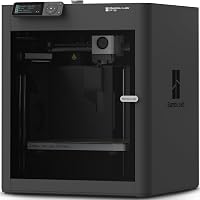
Anycubic Kobra X vs Creality SparkX i7: Which to Buy? (November 2026)
The Anycubic Kobra X Combo wins for most homes because its seven-color feed goes further than the four colors on the Creality SPARKX i7. Pick the SparkX i7 only if you want a bigger build plate and a five-minute unbox.
On this page (8 sections)
- Anycubic Kobra X vs Creality SparkX i7: the two side by side
- Which printer gives you more colors?
- Which has the bigger build volume?
- Which is faster and easier to start?
- Which printer wastes less filament?
- Which fits a family home better?
- Who should buy which?
- Anycubic Kobra X vs Creality SparkX i7: the verdict
The Anycubic Kobra X Combo is the better buy for most homes because seven colors and built-in filament drying beat the Creality's four-color feed. The Creality SPARKX i7 answers back with a bigger 260 mm plate and a start-to-print time measured in minutes, so the anycubic kobra x vs creality sparkx i7 call depends on what you print most.
Both are combos aimed at families who want color without a kit build. Neither one is a pro machine.
Here's the split in one line: the Kobra X gives you more colors; the SparkX i7 gives you more plate and less setup. Most readers should stop there and buy the Anycubic.


Anycubic Kobra X vs Creality SparkX i7: the two side by side
The Kobra X leads on color range and material handling; the SparkX i7 leads on build area and startup speed. Everything else is close enough that these two gaps decide it.
| Feature | Anycubic Kobra X Combo | Creality SPARKX i7 Combo |
|---|---|---|
| Colors | 7 native, up to 19 | 4 |
| Filament waste | 50% less | 50% less |
| Build area | 18.11 x 17.72 x 18.11 in (unit) | 10.24 x 10.24 x 10 in (plate) |
| Assembly | Combo setup with LeviQ 3.0 auto-leveling | 95% pre-assembled |
| Camera | AI error watch | AI failure detection |
| Noise | Under 48dB | Night Mode |
| Weight | 29 lb | 33 lb |
The color row is the big one. Anycubic's KXC feeds seven spools through its ACE 2 Pro, and you can add hubs to reach 19.
Creality's CFS Lite runs four. That's fine for two-tone toys and labels, and short for rainbow keychains or multicolor gifts.
Where the two printers match
Both makers claim a 50% cut in multicolor waste, so waste alone won't break the tie. Each combo also includes an AI camera that watches for failed prints.
Quiet running shows up on both. Anycubic puts the Kobra X under 48dB, "as quiet as a library," and Creality offers a Night Mode for light-free overnight jobs.
Those overlaps mean you should choose on colors, plate size and setup time, not on noise or camera presence. If quietness is your only worry, either one fits a bedroom desk.
The material lists also overlap more than the color counts suggest. Both machines handle everyday PLA and PETG, so the real gap is not whether you can print in color but how many colors you can keep loaded at once.
One machine holds seven spools and the other holds four, and that number decides how often you stop to swap.
Which printer gives you more colors?
Anycubic wins this one clearly: seven native colors against four. The gap matters most if your kids pick rainbow toys or you print multicolor gifts.
Seven spools loaded at once means no swapping between jobs. You design in color, slice, and print.
The ACE 2 Pro also dries filament while printing, at 65°C, with temp and humidity detection. That protects PLA and PETG from moisture between long color runs.
Creality's four-color CFS Lite keeps transitions smooth and fast. Four is still enough for plenty of two- and three-color models.
Going past four means switching spools by hand or buying more hardware. The Creality doesn't offer the same native expansion path in the data.
What 19 colors takes on the Kobra X
Nineteen-color printing needs two 8-color filament hubs plus one 2-color hub. Budget for the hardware and the shelf space before you plan that mural.
Seven colors out of the box covers most family printing. The 19-color path is for big display pieces and school projects that need lots of hues.
Multi-material options on the Kobra X include PLA plus TPU 68D and PLA plus PVA, so supports and soft parts can share a print. That's a useful extra for functional color parts.
Single and multi-material limits on each machine
The Kobra X prints PLA, PETG, TPU in three hardness grades, PVA and ABS as single materials, and mixes PLA with TPU 68D, PLA with PVA, or TPU 68D with TPU 68D. That mix of soft and support material is where seven colors earns its keep.
The Creality data lists its CFS Lite as a four-color feed and stops there on material detail. If you want soft parts or soluble supports next to a rigid color body, the Anycubic's material chart gives you a clearer path.
The Creality data lists no materials at all, so don't count on either one for abrasive or high-temperature engineering filaments without checking with the maker first.
Which has the bigger build volume?
The Creality SPARKX i7 has the bigger plate, at 260 x 260 x 255 mm, while the Kobra X lists overall unit dimensions only. For large flat models, the Creality is the roomier choice.
Creality's 10.24 x 10.24 x 10 inch volume handles full-size airless basketballs and wide terrain tiles. A 260 mm square plate also fits big single-color jobs without splitting the model.
The Anycubic's published 18.11 x 17.72 x 18.11 inches describe the whole machine, not the print area. That means you can't compare the two from the numbers alone.
For large flat models, the Creality's stated plate size makes it the easier pick. For shelf-friendly toys and decor, the Anycubic's area is plenty.
How plate size changes your projects
Bigger plates cut print time on wide models because you print fewer parts. They also reduce seams from splitting a model into pieces.
If you print helmets, terrain or large organizers, the Creality's 260 mm square is the practical pick. Multi-part gluing costs time and often shows.
If your projects fit in your hand or sit on a shelf, plate size stops mattering. Color range then decides, and the Kobra X wins.
The Creality's 255 mm height matters too. A tall vase or a standing figurine clears 10 inches vertically on the SparkX i7, while the Kobra X's figure describes the unit rather than the print volume.
Measure your tallest planned model against the Creality's published box before you order.
Which is faster and easier to start?
The Creality SPARKX i7 is faster to set up, arriving 95% pre-assembled with a five-minute unbox. The Kobra X leans on auto-leveling and drying to make long color runs easier.
Creality's promise is simple: open the box, run the checks, print. For a first printer in a busy house, that's a real advantage.
Anycubic's LeviQ 3.0 auto-leveling handles the bed for beginners. The combo still arrives as a multi-part kit with the ACE 2 Pro, so plan a little more setup time.
On print speed, Anycubic claims 2X faster multi-color speed than its own baseline. Creality claims faster multicolor with smoother transitions.
Both are maker claims, so weigh them against your own patience for color swaps.
The AI camera on each printer watches for failures. Anycubic frames it as a guard for beginners; Creality names spaghetti, air printing, tangles and plate issues.
What "fast" means in practice
Color changes, not raw speed, dominate a multicolor print. More colors mean more purges and swaps, and both makers cut that waste by half.
The Creality's five-minute start helps on day one. The Kobra X's drying and feeding help on day fifty, when filament has sat out and color jobs keep failing for moisture.
Neither camera catches everything. Keep your first layer clean and your plate wiped, and the AI has less to fix.
One more speed detail favors Anycubic for color jobs: it claims its multi-color speed is 2X faster than its own baseline, which speaks directly to the purge-heavy prints that make rainbow models slow. Creality's speed claim covers multicolor in general.
If most of your jobs use three or more colors, the Anycubic figure is the one aimed at your workload.
Which printer wastes less filament?
The two makers claim the same 50% reduction, so this round is a tie on paper. How each one gets there differs.
Anycubic credits the KXC's feed system with producing more parts per spool. Fewer purges and less scrap lower material cost and downtime.
Creality credits smoother transitions and faster multicolor printing. The CFS Lite design aims to purge less between colors.
For a family printing lots of color, the savings show up in spool purchases. For a hobbyist printing mostly one color, waste matters less than plate size.
The drying matters here too. Wet filament strings and fails, and failed prints waste more than any purge.
Anycubic's 65°C drying plus temp and humidity detection and active moisture removal with sealed storage keep spools usable longer. Creality's waste story rests on transitions, not on keeping filament dry.
If your printer lives in a humid room, that difference changes the real waste over a year.
Our Anycubic Kobra 3 vs Bambu Lab A1 comparison covers a cheaper Anycubic combo if waste is your main concern and seven colors is more than you need.
Which fits a family home better?
The Kobra X suits a family with kids and a busy schedule; the SparkX i7 suits a household that needs bigger prints in a hurry. Both are designed as home tools.
Anycubic pitches the KXC at parents: colorful toys, home decor and school projects. The under-48dB running and AI camera support that, since the printer can sit near living space.
The 29-pound weight makes it easier to move than the 33-pound Creality. Neither is a carry-around unit, though.
Creality's RGB lighting and Night Mode target desk-side overnight runs. The bigger plate serves larger projects, which may mean a dedicated table.
Check your space first. The Creality's 260 mm plate needs more clearance for wide models, and the Kobra X's color hub needs shelf room for seven spools.
Noise, light and shared rooms
Both printers aim at quiet home use, but only Creality offers a light-free Night Mode. That matters if the printer lives in a bedroom.
Anycubic's under-48dB figure is the library comparison. Color hubs add some sound, so expect more than a single-spool printer makes.
If your setup shares a room with a sleeper, Creality's Night Mode is the more considerate option. If your printer sits in a study, noise won't decide the buy.
A beginner's first week on each printer
LeviQ 3.0 auto-leveling means the Kobra X handles its own bed setup, so the beginner's job is loading seven spools and learning the slicer. The printer's AI camera then covers the first real print.
On the Creality, 95% pre-assembly and a five-minute unbox mean your first print lands before your first coffee. The CubeMe AI photo-to-model feature gives beginners a shortcut to a finished figurine without modeling software.
That is a nice extra, though it needs an upload to Creality's tool.
Which first week is easier depends on you. If assembly frustrates you, pick Creality.
If learning a multi-color workflow matters more, the Kobra X teaches it with more room to grow.
Who should buy which?
Buy the Anycubic Kobra X Combo for seven colors; buy the Creality SPARKX i7 for a bigger plate and faster setup. Your project list tells you which one.
Pick the Anycubic Kobra X Combo if...
You print colorful gifts, toys and decor and want seven colors without buying hubs. This is the anycubic kobra x combo's core buyer.
- Parents printing for kids who change favorite colors weekly.
- Beginners who want auto-leveling and an AI camera as safety nets.
- Anyone tired of purging spools on two-tone models.
The ACE 2 Pro's drying and sealed storage help if your printer sits in a humid room. That's a practical win over time for PLA and PETG.
Pick the Creality SPARKX i7 Combo if...
You need a 260 mm plate and want to print within minutes of unboxing. This is the pick for big single-color projects and impatient beginners.
- Makers printing helmets, terrain or large organizers in one piece.
- Households where setup time decides whether the printer gets used.
- Bedrooms and shared rooms that need Night Mode.
Four colors still cover two- and three-tone models. The smooth transitions keep those prints tidy.
The CubeMe AI photo-to-model feature also gives gift makers a fast path from a portrait to a printed figurine, which the Kobra X does not claim in the data.
If you're weighing a different brand against Bambu, our Bambu Lab vs Flashforge piece shows how the budget options stack up for first-timers.
Anycubic Kobra X vs Creality SparkX i7: the verdict
For most readers, the Anycubic Kobra X Combo is the printer to buy. The anycubic kobra x vs creality sparkx i7 match ends 9.7 to 7.7 because seven native colors and filament drying serve the home buyer better than one size advantage.
The Creality SPARKX i7 is not a bad machine. Its 260 mm plate and five-minute setup make it the better pick for large single-color work and for anyone who wants the printer running the same afternoon it arrives.
Our score weighs specs, features and buyer feedback against what you're shopping for. On that basis, the color range and material handling tip it.
The Creality's 260 mm plate and 10 inch height keep it in the running for anyone whose models run big.
If you want more comparisons before you spend, our Elegoo Centauri Carbon vs Bambu P1S and Creality Ender 3 V3 SE vs Bambu Lab A1 matchups cover the same home-printing question at other budgets. The first step is deciding whether color or plate size drives your projects.
Once you know that, the choice here is easy.
Frequently asked questions
How many colors can each printer run?
The Anycubic Kobra X Combo prints seven colors natively and reaches up to 19 with two extra 8-color hubs and one 2-color hub. The Creality SPARKX i7 runs four colors through its CFS Lite system, with smoother transitions between them.
How big are the build areas?
The Creality SPARKX i7 offers a 260 x 260 x 255 mm build volume, which is about 10.24 x 10.24 x 10 inches. The Anycubic Kobra X Combo measures 18.11 x 17.72 x 18.11 inches as a whole unit, so compare plate sizes carefully before you order.
Do either of these need assembly?
The Creality SPARKX i7 arrives 95% pre-assembled and Creality says you can start printing in five minutes. Anycubic's Kobra X ships as a combo with its ACE 2 Pro, and its LeviQ 3.0 auto-leveling handles bed setup for beginners.