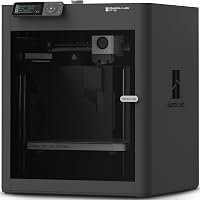
7 Best Large 3D Printers for Big Home Projects (October 2026)
The best large 3D printers for home projects include the Creality K2 Plus Combo for large multicolor projects, the Anycubic Kobra S1 Max Combo for enclosed multicolor printing, and the QIDI Max4 Combo for wide heated prints.
On this page (9 sections)
- Which best large 3D printer suits your project?
- How do you choose a large 3D printer build volume?
- How much room does a large 3D printer need?
- Do you need multicolor printing on a large 3D printer?
- Which materials suit a large-format printer?
- What should beginners check before buying a large 3D printer?
- How do you set up and care for a large 3D printer?
- What common mistakes should you avoid with a large 3D printer?
- Which best large 3D printer should you choose?
The Creality K2 Plus Combo is the best large 3D printer for most big home projects, with a 350 mm cube workspace and included CFS system for multicolor printing. Choose the Anycubic Kobra 3 Max V2 for extra height, the QIDI Max4 Combo for a wider bed and heated chamber, or the Sovol SV08 Max for the largest cube-shaped build volume.
A large printer makes sense when your models are too wide, tall or numerous for a smaller machine. It can reduce the need to split an object into sections, but the machine also takes more room and may be difficult to move.
Before choosing, measure your largest planned print and the space where the printer will sit. If you're deciding whether home printing suits you, start with our plain guide to 3D printers for home use and questions to ask before buying a 3D printer.
Our picks at a glance
-
1
-
2

-
3

Which best large 3D printer suits your project?
The Creality K2 Plus Combo is the most balanced choice for large projects that also call for color, while other picks offer a wider bed, extra height or a larger maximum workspace. Choose by the shape of the objects you plan to make, the materials you need and the room available.
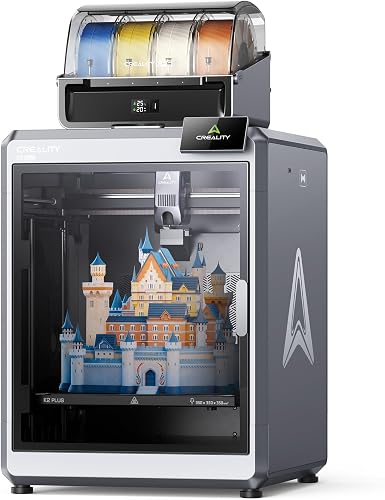
Creality K2 Plus Combo: Best for large multicolor projects
- 350 x 350 x 350 mm build volume
- Combo includes CFS multicolor system
- Up to 16 colors with four CFS units
- Up to 600 mm/s printing speed
A balanced large-format choice for home makers who want room for sizable models and multicolor printing in the same setup. The combo includes the CFS system, while expansion to 16 colors requires four CFS units.
Pros
- Large cube-shaped print area
- CFS combo supports multicolor printing
- Dual AI cameras and automatic bed tilt adjustment
Cons
- Heavy at 70.4 lb
- 16-color setup requires four CFS units
The Creality K2 Plus Combo pairs a 350 x 350 x 350 mm build volume with the CFS multicolor system. Creality says four CFS units can be connected for prints with up to 16 colors, while this combo includes its multicolor setup.
The cube-shaped space gives you the same stated dimension in each direction, useful for projects that include both broad and tall shapes. Creality lists a maximum speed of 600 mm/s, but actual speed depends on the model, material and settings.
Two AI cameras monitor printing, and the machine has 18 smart sensors. One camera watches for issues such as spaghetti failures, while the other helps optimize flow rate.
At 70.4 lb, this is a machine to place carefully before setup. Pick it if you want a large workspace and multicolor capability together; see our beginner guide to multicolor 3D printers if color is your main reason for shopping.
Anycubic Kobra S1 Max Combo: Best for enclosed multicolor printing
- 350 x 350 x 350 mm build volume
- Fully enclosed CoreXY structure
- ACE 2 Pro combo supports 4 colors
- Up to 16 colors with four ACE 2 Pro boxes
This enclosed combo brings a large cube-shaped workspace and 4-color printing out of the box. Its heated chamber and high-temperature hotend suit buyers considering more demanding materials.
Pros
- Fully enclosed CoreXY structure
- ACE 2 Pro combo supports 4-color printing
- 49-point auto-leveling
Cons
- Heavy at 77.8 lb
- 16-color printing requires additional ACE 2 Pro boxes
The Anycubic Kobra S1 Max Combo combines a 350 mm cube workspace with an enclosed CoreXY structure. Its ACE 2 Pro combo supports 4-color printing, and the system can expand to 16 colors with four ACE 2 Pro boxes.
Anycubic specifies an active heated chamber up to 65°C and a 350°C hotend. Those features may suit projects using materials that need more controlled printing conditions; check the filament's requirements before choosing it.
The machine also has LeviQ 3.0 49-point auto-leveling and real-time flow dynamics calibration. That adds setup support, though this printer still weighs 77.8 lb.
Choose this combo if you want an enclosed printer with multicolor included. If your priority is printing taller parts rather than color, the Kobra 3 Max V2 offers a 500 mm build height.
QIDI Max4 Combo: Best for wide heated prints
- 390 x 390 x 340 mm build volume
- 65°C active heated chamber
- Up to 800 mm/s maximum speed
- QIDI BOX expansion supports up to 16 colors
The Max4 offers a wide print area with less height than the cube-shaped picks. QIDI BOX is needed for multicolor printing, and the Polar Cooler is sold separately.
Pros
- Wide 390 x 390 mm footprint for prints
- Active chamber heating up to 65°C
- AI camera can pause on detected print abnormalities
Cons
- Very heavy at 120 lb
- QIDI BOX and Polar Cooler are separate purchases
The QIDI Max4 Combo offers a 390 x 390 x 340 mm print area, making it wider than the 350 mm cube machines while giving up some height. Its active chamber heats up to 65°C, and its hotend reaches a maximum 370°C.
QIDI lists a maximum speed of 800 mm/s, though actual speed depends on material and flow rate. The built-in AI camera can detect print abnormalities such as spaghetti-like failures and pause the machine.
Multicolor printing requires a QIDI BOX, sold separately. The Polar Cooler is also a separate purchase, so account for both add-ons if they matter to your setup.
At 120 lb, the Max4 is the heaviest pick here. Choose it if a wider workspace and heated chamber matter more than portability; our fast 3D printer guide compares speed-focused options.
Anycubic Kobra 3 Max V2: Best for tall home projects

- 420 x 420 x 500 mm build volume
- Up to 600 mm/s speed
- 300°C full-metal hotend
- ACE 2 Pro add-on supports up to 8 colors
Its 500 mm build height gives room for tall props or models that would otherwise need to be split. The printer is sold without the ACE 2 Pro, which is required for multicolor printing.
Pros
- Tall 500 mm build height
- Printer weight is 39.6 lb
- Filament runout detection and power-loss recovery
Cons
- ACE 2 Pro is an add-on for multicolor printing
- Less height than the largest 500 mm cube option
The Anycubic Kobra 3 Max V2 is the tall-print pick, with a 420 x 420 x 500 mm build volume. That extra height can help with tall props, reliefs or functional parts that would otherwise need to be separated into pieces.
The full-metal hotend reaches 300°C and supports PLA, PETG and TPU. Anycubic lists speeds up to 600 mm/s and includes AI monitoring, filament runout detection and power-loss recovery.
This printer does not include the ACE 2 Pro. Add one for 4-color printing, or connect up to two ACE 2 Pro units for up to 8 colors.
The 39.6 lb weight is lower than the other large-format options in this roundup. Choose it when vertical print space is your main need, and check the printer's external dimensions against your room before setting it up.
Creality Ender 5 Max: Best for workshop batches

- 400 x 400 x 400 mm build volume
- Up to 700 mm/s speed
- 64-point auto-leveling and automatic Z-offset
- WLAN multi-printer control
A large cube-shaped bed can fit bigger models or several smaller parts in one run. Its WLAN multi-printer controls suit a home workshop that may grow into a small print farm.
Pros
- 400 mm cube build volume
- Automatic bed leveling and Z-offset
- WLAN multi-printer control
Cons
- Heavy at 70.4 lb
- No multicolor system is specified
The Creality Ender 5 Max gives you a 400 mm cube build volume for oversized models or batches of smaller parts. Creality also describes a CoreXY system with speeds up to 700 mm/s and WLAN controls for managing multiple printers.
Its 64-point automatic leveling and auto Z-offset reduce manual calibration steps. The all-metal frame and X-axis linear rail are designed to support stable movement across a wide print area.
The Ender 5 Max weighs 70.4 lb, so plan its location before assembly. Multicolor printing isn't specified for this model, making it a fit for large single-color prints or production batches.
Choose it if you value a cube-shaped print area and may use multi-printer controls. For a smaller step-up option, compare our 3D printers under 500 dollars guide.
Creality Ender 3 V3 Plus: Best for lighter large-format setups
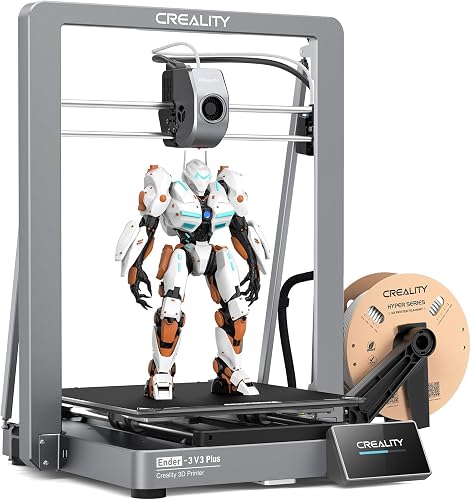
- 300 x 300 x 330 mm build volume
- Up to 600 mm/s speed
- Direct-drive extruder
- Quick assembly and one-tap calibration
The V3 Plus is smaller than the other picks, but its 300 x 300 x 330 mm workspace can handle many large home parts. Its lower weight may make placement easier than with the heavier machines.
Pros
- Lighter than the other picks here
- One-tap calibration and auto leveling
- Pre-assembled modules
Cons
- Smaller build volume than the other picks
- No multicolor system is specified
The Creality Ender 3 V3 Plus offers a 300 x 300 x 330 mm build volume, smaller than the other machines here but still roomy for many home projects. Its 300 mm bed width can fit larger parts than a compact starter printer.
Creality lists a maximum speed of 600 mm/s, one-tap calibration and automatic leveling. The direct-drive extruder and pre-assembled modules may appeal if you want a large-format machine without moving straight to the heaviest options.
At 30.6 lb, it is the lightest pick in this roundup. It doesn't have the workspace of a 400 or 500 mm printer, so check your largest part dimensions before buying.
Choose the V3 Plus when you want more room for home projects but don't need a very large machine. If you're new to printing, our guide to what you need to start 3D printing at home covers the other essentials.
Sovol SV08 Max: Best for oversized cube prints

- 500 x 500 x 500 mm build volume
- Up to 700 mm/s speed
- Eddy current bed scanning
- Heated chamber module connection reserved for future upgrade
The SV08 Max has the largest stated cube-shaped workspace here, for oversized props or parts that need to print in one piece. Its heated chamber module needs to be purchased separately.
Pros
- Largest build volume in this roundup
- Eddy current scanning for bed calibration
- Built-in camera for remote monitoring
Cons
- Heavy at 86.8 lb
- Heated chamber module is a separate purchase
The Sovol SV08 Max has the largest stated build volume here: 500 x 500 x 500 mm. That cube-shaped space suits buyers who want to print very large props or functional parts as one piece.
Sovol lists speeds up to 700 mm/s, a 50 mm³/s high-flow nozzle and a 300°C maximum hotend temperature. An eddy current sensor scans the bed for automatic calibration, and a built-in camera supports remote monitoring and time-lapse recording.
The machine weighs 86.8 lb. Its heated chamber module connection is reserved for a future upgrade, and the module needs to be bought separately.
Choose the SV08 Max when maximum print size matters most. Its external dimensions make room planning essential, so check the route into your workspace and the final placement area first.
How do you choose a large 3D printer build volume?
Compare the printer's width, depth and height with your largest planned object. A stated volume of 350 x 350 x 350 mm marks the maximum build dimensions, but doesn't guarantee that every object of that size will print successfully.
The Kobra 3 Max V2 stands out for height at 500 mm, while the Sovol SV08 Max has 500 mm in all three directions. The QIDI Max4 is wider than the 350 mm cube options, but its 340 mm height may limit tall projects.
Supports, brims and orientation also use space. A model that barely fits may need to be resized, split or printed in another orientation.
Think about what you make most often. A tall costume prop needs height; a wide panel needs bed width.
A batch of small parts benefits from a broad, flat surface, while a cube-shaped build area is easier to plan around for mixed projects because no one dimension is much shorter than the others.
How much room does a large 3D printer need?
A large printer needs more than an open spot the size of its build plate. Check the machine's external dimensions and weight, plus the space needed for filament changes, cables, ventilation and routine access.
Weights in this roundup range from 30.6 lb for the Ender 3 V3 Plus to 120 lb for the QIDI Max4 Combo. A heavy machine can be hard to move later, so pick a stable location before assembly and make sure the route to that spot can accommodate it.
Check the outer dimensions, not just the build volume. The printer needs room around it to open access points, load filament and reach the bed; an attached multicolor system can need additional space.
Avoid putting a large printer on a narrow or unstable surface. Keep the area clear enough to reach the controls.
Inspect a print without shifting the machine, and see our step-by-step 3D printer setup guide for first-day placement and setup.
Do you need multicolor printing on a large 3D printer?
Multicolor printing helps when a model needs visible color changes without painting, but it adds a filament system and setup choices. The K2 Plus Combo and Kobra S1 Max Combo include multicolor components, while the Kobra 3 Max V2 and QIDI Max4 need separate systems.
The Kobra 3 Max V2 can use one ACE 2 Pro for 4 colors or two for up to 8. QIDI Max4 can connect to a QIDI BOX for up to 16 colors; the QIDI BOX is separate.
Check the exact configuration before you buy. A printer name that includes “Combo” doesn't mean all optional expansion equipment is included, so compare the included system with the color count you actually want.
For functional brackets, enclosures or replacement parts, a single color may be enough. If color is a central requirement, compare the included components and expansion path with our multicolor 3D printer guide for beginners.
Which materials suit a large-format printer?
Choose materials based on the printer's temperature support and the demands of the part. Large objects can be more affected by warping during a print, so an enclosed or heated chamber may matter for some materials.
The K2 Plus Combo maintains a chamber temperature up to 60°C and has a 350°C nozzle. The Kobra S1 Max Combo lists a 65°C heated chamber and 350°C hotend, while QIDI Max4 lists a 65°C chamber and 370°C hotend.
The Kobra 3 Max V2's 300°C hotend supports PLA, PETG and TPU. The Sovol SV08 Max also reaches 300°C and lists materials including PLA, TPU, PETG, ABS, ASA, PA and PC; its heated chamber module needs a separate purchase.
Don't choose a printer based on the highest temperature alone. Match the hotend and chamber capabilities to the filament you plan to use.
Follow that filament's temperature and handling guidance; if your projects only need common materials, a simpler setup may be enough.
What should beginners check before buying a large 3D printer?
Beginners should check workspace, setup steps, material needs and the size of the projects they expect to print. Automatic leveling can reduce calibration work, but you'll still need to learn slicing, filament handling and basic troubleshooting.
The Ender 3 V3 Plus is the lightest pick and includes pre-assembled modules and one-tap calibration. The Ender 5 Max has automatic leveling and auto Z-offset, while the Kobra S1 Max Combo adds 49-point auto-leveling.
Those features simplify parts of setup, but a larger machine still needs a suitable location and realistic expectations about print time. Start with a project that fits comfortably inside the build area rather than using the maximum dimensions on your first print.
A smaller machine may fit better if you expect to print miniatures, brackets or household parts rather than large props. Compare options in our starter 3D printer guide and plain guide to 3D printers for home use before deciding that extra volume is worth the footprint.
How do you set up and care for a large 3D printer?
Set up a large printer on a stable surface, follow its assembly and calibration steps, then confirm the bed and filament path are ready before starting a long print. A little planning helps prevent moving a heavy machine after it's in use.
First, measure the route into the room and the spot where the printer will sit. Keep enough access around it to load filament and inspect the bed, then use the machine's automatic leveling or calibration process as directed.
Before a long job, check that the filament is loaded correctly, the intended material is selected and the model fits with room for supports or a brim. If the printer has runout detection, power-loss recovery or monitoring, learn where those controls appear before relying on them during a print.
Keep the bed and nozzle clear of leftover material. Check for loose filament or debris before each job, and follow the manufacturer's instructions for routine cleaning and nozzle changes.
Don't force parts that feel stuck; for first-day details, see our 3D printer setup guide.
What common mistakes should you avoid with a large 3D printer?
The most common mistake is buying the biggest build volume without a project that needs it. A large machine takes up more room, weighs more and can be harder to place, so measure your parts and your workspace first.
Another mistake is treating maximum speed as a normal setting for every print. Speed depends on the material, model and flow rate, so use a suitable profile and watch the first layer before leaving a long job unattended.
Don't assume an optional color system or chamber accessory comes in the box. The Kobra 3 Max V2 needs an ACE 2 Pro for multicolor, QIDI Max4 needs a QIDI BOX, and the SV08 Max heated chamber module is a separate purchase.
Finally, don't size a model to the exact edge of the build volume without accounting for supports, brims and orientation. Leave some room for the slicer setup and check that the object can be placed on the bed as intended.
Which best large 3D printer should you choose?
Choose the Creality K2 Plus Combo if you want a large workspace with multicolor printing included. Pick the Kobra 3 Max V2 for tall prints, QIDI Max4 for a wider heated workspace, or Sovol SV08 Max when a 500 mm cube is the priority.
If you want batch control for a workshop, consider the Ender 5 Max. If you want a lighter and smaller step up for home projects, the Ender 3 V3 Plus is the practical choice, provided its build area fits your plans.
For a best large 3D printer decision, measure two things before you buy: your largest intended model and the space available for the machine. Then match your must-have dimensions, material needs and included accessories to the picks above, and use our large printer setup guide to prepare the space.
| Product | Best for | Build volume | Multicolor | Printer weight | Our score |
|---|---|---|---|---|---|
| Creality K2 Plus Combo | large multicolor projects | 350 x 350 x 350 mm | CFS combo; up to 16 colors with four CFS units | 70.4 lb | 8.3 |
| Anycubic Kobra S1 Max Combo | enclosed multicolor printing | 350 x 350 x 350 mm | 4 colors in combo; up to 16 with four ACE 2 Pro boxes | 77.8 lb | 7.9 |
| QIDI Max4 Combo | wide heated prints | 390 x 390 x 340 mm | 120 lb | 7.7 | |
| Anycubic Kobra 3 Max V2 | tall home projects | 420 x 420 x 500 mm | Optional ACE 2 Pro; up to 8 colors with two units | 39.6 lb | 7.6 |
| Creality Ender 5 Max | workshop batches | 400 x 400 x 400 mm | 70.4 lb | 7.3 | |
| Creality Ender 3 V3 Plus | lighter large-format setups | 300 x 300 x 330 mm | 30.6 lb | 7.1 | |
| Sovol SV08 Max | oversized cube prints | 500 x 500 x 500 mm | 86.8 lb | 7.0 |
Our top 3 picks at a glance
-
1
-
2
-
3
Frequently asked questions
What size build volume counts as large for home 3D printing?
There isn't one fixed cutoff, but a build volume around 300 mm on each side can handle many bigger home projects. These picks range from 300 x 300 x 330 mm to a 500 mm cube.
Measure your largest planned print and leave room for its brim, supports and any clearance the machine needs.
Is a large 3D printer a good choice for a beginner?
It can be, if you have room for the machine and are ready to learn basic setup and print planning. Automatic leveling and calibration features on several picks can reduce some setup steps.
A smaller starter printer may be easier to place and move, so compare options in our starter 3D printer guide.
Should I choose a large printer or split a model into pieces?
Choose a larger printer when avoiding seams, assembly or alignment between parts matters to your project. Splitting a model can work well when a single large machine would take too much space or when the part fits in smaller sections.
Check the printer's build dimensions against the model's full size before deciding.
Do large 3D printers need a dedicated table?
A stable surface with enough room is a sensible starting point, especially for printers that weigh 70 lb or more. Check the machine's dimensions and weight, then allow space for access, cables and any filament system.
Our 3D printer setup guide covers first-day placement and setup.
Can these large 3D printers print in multiple colors?
Some can, but the included parts differ. The Creality K2 Plus Combo includes a CFS system, and the Kobra S1 Max Combo includes an ACE 2 Pro for 4-color printing.
The Kobra 3 Max V2 needs an ACE 2 Pro add-on, while QIDI Max4 needs a QIDI BOX for multicolor printing.