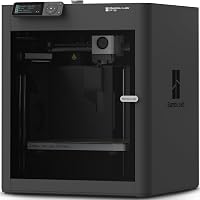
Anycubic Photon Mono 4 vs Ultra: Which to Buy? (November 2026)
Pick the Photon Mono 4 Ultra for speed and smart checks; pick the Photon Mono 4 for a simpler, cheaper first resin printer. In this anycubic photon mono 4 vs ultra comparison, the Ultra's ACF film and detection features win for most hobbyists.
On this page (9 sections)
- The quick verdict: Mono 4 vs Ultra
- Side by side: what each printer brings
- Speed: where the Ultra pulls ahead
- Smart checks: convenience the base model lacks
- Screen protection for either model
- Build volume and leveling: what's shared
- Price fit: which printer suits your budget
- Setup and first prints on either machine
- Which should you buy?
Pick the Photon Mono 4 Ultra for speed and smart checks; pick the Photon Mono 4 for a simpler, cheaper first resin printer. In this anycubic photon mono 4 vs ultra comparison, the Ultra's ACF film and detection features win for most hobbyists.
Both printers share the same 7-inch 10K mono screen. The real split is speed and automation against simplicity and cost.
This comparison walks through what the Mono 4 and the Mono 4 Ultra each do well. You'll finish knowing which one matches the way you print.


The quick verdict: Mono 4 vs Ultra
The Photon Mono 4 Ultra is the better overall pick for most home printers, while the standard Mono 4 is the better first machine. The Ultra adds speed and smart checks the base model doesn't have.
The Ultra's headline advantage is its ACF film and Intelligent Release Algorithm. Anycubic says these push the maximum fast print speed to 120mm/h.
It also runs five smart inspections. These cover printer auto-inspection, leftover resin monitoring, failed print detection and intelligent lifespan management.
The standard Mono 4 keeps the same 10K screen and a large build volume without those extras. That makes it the simpler, calmer choice for someone learning resin printing.
Our scores reflect that split: the Mono 4 earns 8.3 for first-time buyers, the Ultra 8.1 for speed-focused hobbyists. Read on for the points that decide it.
Side by side: what each printer brings
The two machines share a screen, resolution and precision claim; they differ in release film, speed and smart features. The table below lines up the specs that matter.
The 10K screen on both models resolves 9024x5120 pixels. Each pixel measures 17x17μm on the X and Y axes, and Anycubic claims a 105% precision gain over the Mono 2.
That means fine detail should look close between the two. If detail is your only concern, neither printer separates clearly from the other.
The Ultra pairs its ACF film with a Fresnel-lens COB light source. Anycubic says the light angle stays within 3° and light uniformity reaches at least 90%.
The standard Mono 4 uses Anycubic's LighTurbo matrix light source. Anycubic says it delivers stable, balanced and uniform lighting to reduce layer lines.
Build volume is identical in practice. The Mono 4 lists 153.4 x 87 x 165 mm (6.04 x 3.42 x 6.49 inches), enough for miniatures and larger display pieces.
| Product | Best for | Screen | Build volume | Release film | Our score |
|---|---|---|---|---|---|
| Anycubic Photon Mono 4 | first resin printers | 7-inch 10K mono LCD | 153.4 x 87 x 165 mm | Standard FEP | 8.3 |
| Anycubic Photon Mono 4 Ultra | fast, smart printing | 7-inch 10K mono LCD | Not in the data | ACF film | 8.1 |
Speed: where the Ultra pulls ahead
The Photon Mono 4 Ultra is the faster printer, and the gap comes from its film and release algorithm. The standard Mono 4 doesn't list a comparable top speed.
Anycubic rates the Ultra at 120mm/h at its fastest. That speed depends on resin, layer height and model geometry, so treat it as a ceiling rather than a guarantee.
The ACF film matters because release is where slow printers lose time. Each layer has to peel away from the film before the platform lifts.
Anycubic says the ACF film minimises frosted texture to increase light penetration. That makes the release smoother and keeps print accuracy.
The standard Mono 4 relies on a conventional FEP film. FEP works well and is widely supported, but peel forces are higher.
What the speed difference means in practice
Faster release shortens each layer cycle, so a tall print finishes sooner. For a tabletop miniature, the saving is modest; for a large bust or a plate of parts, it adds up.
Speed also changes your workflow. You can run a test print and still have time for the real model the same evening.
Faster isn't free, though. The Ultra's speed settings are tuned to work with the ACF film, so you'll want to follow Anycubic's exposure guidance rather than copying settings from a slower printer.
If speed is your reason to buy, the Ultra is the clear pick. If you print small pieces now and then, the base model's pace won't hold you back much.
Resin choices that matter for speed
Anycubic sells its High Speed 3D Printer Resin 2.0 for high speed machines like the Photon Mono M5s and M7 series. The Ultra's faster release pairs well with resins built for short exposures.
The resin maker says its viscosity is 50% lower than regular resin, which helps it reflow during each lift. It also claims up to 3X faster printing on supported machines.
For a standard Mono 4 owner, the same resin still works. Just match the exposure to your printer's settings rather than the resin's headline speed.
Smart checks: convenience the base model lacks
The Photon Mono 4 Ultra adds five smart inspections that the standard Mono 4 doesn't include. These reduce the guesswork that causes failed plates.
Anycubic lists printer auto-inspection, residual resin detection, leftover resin monitoring, failed print detection and intelligent lifespan management. Each one targets a different way prints go wrong.
Failed print detection is the most useful for a beginner. It catches a print that has come off the platform or stopped forming before you waste the rest of the resin.
Lifespan management tracks the screen's working life. That helps you plan a replacement instead of discovering the screen is worn mid-project.
The standard Mono 4 covers the basics without these checks. It still offers power-loss recovery, so an outage doesn't necessarily ruin an in-progress print.
When smart checks earn their keep
If you print several plates a week, failed print detection saves resin and time. A single saved plate can cover a good part of the Ultra's price gap.
If you print once a month, you'll likely notice the checks less. A failed print is annoying, but the base model's lower cost may matter more.
Smart features also add things to learn. The Ultra's 4.3-inch screen and all-new interface support eight languages, so setup is guided rather than cryptic.
The base model keeps its controls simple. That suits someone who wants to slice, pour resin and press start without menus.
Screen protection for either model
A screen protector is worth adding to whichever printer you choose. A failed release film can drip resin onto the LCD, and a protector catches the mess.
The KOYOFEI 5PCS Screen Protector is cut for both the Photon Mono 4 and the Mono 4 Ultra. One pack covers the printer you buy, with spares for later.
The protector is made from PET material and lists light transmittance above 95%. That keeps the 405nm UV light reaching the resin so print accuracy holds.
The kit includes tools for installation. A scraper helps push out air bubbles as you apply the film.
This is the practical add-on for either model. It costs far less than a replacement LCD and takes minutes to fit.
Build volume and leveling: what's shared
Both printers share a 10K screen and simple 4-point leveling, so day-to-day setup is similar. Neither one is harder to live with than the other on the basics.
The Mono 4's build volume of 153.4 x 87 x 165 mm covers most home projects. Miniatures, keycaps, jewelry masters and small display models all fit.
Both models use 4-point leveling. You loosen four screws, level the platform and tighten them, and the printer keeps that setting until something changes.
The standard Mono 4 also has a laser-engraved build platform. Anycubic says the new pattern improves adhesion to reduce lifting and warping, while keeping model removal smooth.
The Ultra adds an 8mm diameter T-type screw rod and precision guide rails. Anycubic says these support the higher speed and keep layers consistent.
What fits on the plate
A single large model or a plate of smaller parts fits the same on both machines. Plan your plate around the 153.4 x 87 mm footprint.
Tall models up to 165 mm fit without splitting. Anything taller needs to be cut and joined, whichever printer you own.
The shared volume means your slicer profiles and plate layouts carry over if you upgrade later. That makes the jump from Mono 4 to Ultra less disruptive.
Price fit: which printer suits your budget
The standard Mono 4 is the budget-friendly entry point; the Ultra asks more for speed and automation. Which is the better value depends on how often you print.
If this is your first resin printer and you're unsure you'll stick with the hobby, the Mono 4 keeps the outlay lower. It still gives you the 10K screen and the roomy plate.
If you already know you'll print regularly, the Ultra's speed and failed print detection pay back over time. Less wasted resin and fewer ruined plates add up.
Think about your time, too. Faster layer cycles mean more finished models per evening, which matters if printing is a hobby you fit around work.
The budget call for a first setup
A first resin printer needs more than the machine. You'll also want resin, gloves, a wash-and-cure setup and a screen protector.
Spending less on the printer leaves more room for those extras. The Mono 4 makes that easier for a beginner building a full kit.
The Ultra makes more sense when the printer is the centerpiece and you plan to grow into its features. Its smart checks reward steady use.
Setup and first prints on either machine
Both printers arrive assembled and need only leveling before the first print. Anycubic says every unit is calibrated and tested before shipment.
The first print is a leveling and exposure test. Run a small test model to confirm the platform is even and the exposure suits your resin.
Use the official Photon Workshop slicer for both models. It exports the .pm4n format that the printers read.
Keep the FEP or ACF film clean between prints. A wiped film releases better and keeps detail sharp.
Care that keeps either printer running
Resin is messy, so protect the screen first. Fit the protector before your first vat of resin goes on.
Clean the vat with a soft plastic scraper, not a sharp tool. A torn film leaks resin onto the screen, which is exactly what the protector guards against.
Store resin away from light and keep the printer covered when idle. Dust on the screen shows up in prints.
Plan for film replacement over time. FEP and ACF film are consumables, so budget for a spare set as you settle into a routine.
Where the Ultra's interface helps
The Ultra's 4.3-inch screen and new UI support eight languages. Setup prompts guide you through checks rather than leaving you to guess.
The base model keeps its controls leaner. That's fine if you've used a resin printer before or you prefer fewer menus.
Neither interface changes the print result. They change how much hand-holding you get during setup and maintenance.
Which should you buy?
Buy the Photon Mono 4 Ultra if speed and smart checks matter to you; buy the standard Photon Mono 4 for a lower-cost, simpler start. The anycubic photon mono 4 vs ultra decision comes down to how often you print and how much you value automation.
Choose the Ultra for regular printing. Its ACF film, 120mm/h top speed and five smart inspections reduce failed plates and shorten print times.
Choose the standard Mono 4 for a first machine. The 10K screen and 153.4 x 87 x 165 mm build volume cover the basics without features you won't use yet.
Either way, add the screen protector before the first print. It's the cheapest insurance against a resin leak.
If you're still weighing resin against filament printing, the Bambu Lab vs Flashforge brand comparison covers beginner-friendly options. For a filament printer at a similar price, see the Elegoo Centauri Carbon vs Bambu P1S matchup.
And if you're comparing desktop sizes, the Bambu Lab A1 Mini vs A1 guide helps you pick the footprint that fits your space. For another budget resin alternative, the Anycubic Kobra X vs Elegoo Centauri Carbon 2 comparison is worth a look.
Our score weighs specs, features and buyer feedback against what you're shopping for. That's how the Ultra edges ahead for most readers while the standard model stays the first-printer pick.
Frequently asked questions
Is the Photon Mono 4 Ultra worth it over the standard Mono 4?
It depends on how much you value speed and automation. The Ultra adds ACF film for faster release, a 120mm/h max speed and five smart checks.
If you print often and want fewer failed plates, the extra cost makes sense.
For occasional printing, the base model covers the basics.
Do both printers use the same 10K screen?
Both ship with a 7-inch 10K mono LCD at 9024x5120 resolution. Anycubic describes the same 105% precision gain over the Mono 2 for each model.
Detail level should be close; the differences sit in speed, release film and smart features rather than raw resolution.
What is ACF film and why does it matter?
ACF film is the release layer at the bottom of the resin vat. Anycubic says the ACF film on the Ultra reduces frosted texture and improves light penetration for a smoother release.
That smoother release is what allows the faster lift speeds.
Can I use the same resin on both printers?
Yes. Anycubic sells its High Speed 3D Printer Resin 2.0 for its high speed machines, and both the Mono 4 and Mono 4 Ultra run standard 405nm resin.
Match the resin to your exposure settings, and follow the resin maker's recommended parameters for each printer.
Which is better for a beginner?
The standard Photon Mono 4 is the easier starting point. It keeps the setup to 4-point leveling and the basics, without smart detection features to learn.
The Ultra suits beginners who plan to print often and want automation to reduce failed plates.
Do both printers need a screen protector?
A screen protector is a sensible add-on for either printer. It keeps resin off the LCD if the release film fails.
The KOYOFEI protector pack is cut for the Mono 4 and Mono 4 Ultra, so one set covers whichever model you buy.