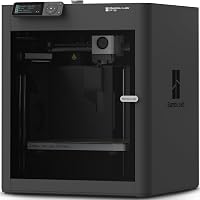
Bambu Lab A1 vs Prusa MK4: Which to Buy? (November 2026)
Pick the Bambu Lab A1 for multicolor prints and less fuss, or the Prusa MK4 for a bigger bed and a printer you build and service yourself. In this Bambu Lab A1 vs Prusa MK4 matchup, the winner depends on whether color and speed matter more than kit assembly and open tuning.
On this page (11 sections)
- Bambu Lab A1 vs Prusa MK4: the quick verdict
- Build volume: which bed fits your parts?
- Multicolor: the A1's biggest advantage
- Assembly and setup: kit or appliance?
- Speed and print quality
- Build plates and nozzle care for both printers
- Software and the closed vs open question
- Price, upgrades and long-term cost
- Who should buy the Bambu Lab A1?
- Who should buy the Prusa MK4?
- Which printer should you buy?
Pick the Bambu Lab A1 for multicolor prints and less fuss, or the Prusa MK4 for a bigger bed and a printer you build and service yourself. In this Bambu Lab A1 vs Prusa MK4 comparison, the Bambu Lab A1 vs Prusa MK4 choice comes down to what you want from the machine, not which one is faster on paper.
The A1 arrives assembled and can add four-color printing through the AMS Lite. The MK4 is a kit or a preassembled unit from Prusa, with a taller build volume and a tuning path that rewards owners who like to adjust settings.
Both print the usual PLA and PETG. Your habits decide which one earns the bench space.
 Best for the Bambu Lab A1
BIQU CryoGrip Pro Glacier 257x257mm Panda Build

Bambu Lab A1 vs Prusa MK4: the quick verdict
The Bambu Lab A1 wins for most home buyers who want color and speed without a build project. The Prusa MK4 wins when bed height, kit assembly and open tuning matter more than out-of-the-box simplicity.
Start with the job. If your prints are toys, gifts, props and display models, multicolor is the feature you'll notice every week.
The A1 plus AMS Lite turns a four-color model into a normal print job, and the A1's 256 x 256 x 256 mm volume handles most of those parts.
If your prints are jigs, brackets, enclosures and functional parts, the MK4's 250 x 210 x 220 mm bed gives you more height for tall parts. Its kit also teaches you how the printer works, which matters when something drifts.
The A1's buyer is someone who wants a printer as an appliance. The MK4's buyer is someone who wants a printer as a project.
Neither is wrong; they just lead to different machines.
| Product | Best for | Size | Printer fit | Surface | Our score |
|---|---|---|---|---|---|
| BIQU CryoGrip Pro Glacier 257x257mm Panda Build | the Bambu Lab A1 | 257 x 257 mm | Bambu Lab P1S, P1P, P2S, X1C, X1E, X2D, A1 | Double sided | 9.6 |
| SQWAN 3D Printer Tool Kit for Bambu | A1 maintenance | Bambu Lab A1 and A1 Mini | 9.7 | ||
| BIQU CryoGrip Pro Glacier for Prusa MK4/MK4S/MK3/MK3S/CORE | the Prusa MK4 | 254.5 x 241.5 mm | Prusa MK4, MK4S, MK3, MK3S, CORE One | Double sided | 9.4 |
| TINMORRY 10 Rolls Carbon Fiber PETG Filament | filament for both printers | 9.2 |
Build volume: which bed fits your parts?
The MK4 is taller, while the A1 is wider and deeper. For most parts the difference is small, but a single tall print can make the choice for you.
The A1 measures 256 x 256 x 256 mm. The MK4 measures 250 x 210 x 220 mm.
That gives the A1 more room in width and depth. A wide sign, a long bracket or a model with a wide base fits the A1 more easily.
The MK4's extra height comes into play for vases, lamp parts and tall figurines that would hit the A1's ceiling.
Height is the axis people forget. If you print a lot of tall pieces, sketch the part on paper at real size before you order.
A few centimeters of clearance can turn a failed print into an easy one.
Printing several parts at once
The A1's wider bed lets you lay out more parts per run. For small parts like keychains or tokens, that matters more than height.
The MK4's 250 x 210 mm bed still fits a useful batch, especially when you keep parts close. Plan your plate layout around the bed you actually buy.
Multicolor: the A1's biggest advantage
The A1 can print in four colors with the AMS Lite, and the MK4 needs its own multi-material upgrade to match that. This is the feature that decides more home purchases than any spec sheet.
Bambu Lab sells the A1 on its own and as a combo with the AMS Lite. The AMS Lite holds four spools and feeds them into the toolhead, so the printer can switch colors between layers and within a layer.
That turns multicolor models into something a beginner can run. The printer handles the color changes; you load spools and pick a profile.
Prusa's MK4 prints one color unless you buy and fit its separate multi-material unit. The upgrade works, but it's an extra purchase and an extra setup step.
If color is your reason for upgrading, the A1's path is shorter.
The trade-off is waste. Color changes purge filament, so a multicolor print uses more material than the same model in one color.
Budget for that when you price out a project.
When one color is enough
If you print functional parts, multicolor rarely earns its keep. A bracket in one color works the same as a bracket in four.
Put the color money toward filament instead.
Assembly and setup: kit or appliance?
The A1 arrives assembled, and the MK4 is sold as a kit or preassembled. That single difference decides a lot for first-time owners.
The A1 comes out of the box ready for its guided setup. You remove shipping parts, run the calibration steps and start printing.
There's no frame to square or belts to tension on day one.
Prusa offers the MK4 as a kit you build or as a preassembled unit. The kit is the value option and takes an afternoon or more, depending on your pace.
You end up knowing where every screw goes, which helps later when you adjust something.
For a beginner, the kit is a trade. You save money and learn the machine, but you delay your first print.
For someone who has built a printer before, that's often the better deal.
Setup after the first print
Neither printer is set-and-forget forever. Belts stretch, nozzles wear and beds need cleaning.
The A1's guided checks make routine tuning simpler. The MK4's open design makes it easier to reach and replace parts.
Our comparison of the Bambu Lab A1 Mini vs A1 covers how Bambu's smaller model handles setup if space is tight.
Speed and print quality
The A1 is tuned for fast, reliable printing out of the box, and the MK4 rewards tuning with strong, clean results. Speed claims only matter if the printer holds quality at that speed.
Bambu printers ship with profiles that push fast motion while keeping the first layer in check. The A1 runs those profiles without much input from you.
That's why it feels quick from the first print.
The MK4 is an open printer. You can tune temperatures, speeds and cooling, and the machine responds.
Owners who learn its settings often reach quality that matches the A1, but it takes more effort to get there.
The real question is whether you want to spend time tuning or spend time printing. The A1 favors printing.
The MK4 favors the process.
Build plates and nozzle care for both printers
Both printers ship with a working plate, and a removable upgrade makes first layer grip more forgiving. A good plate saves failed prints, and the right one depends on which printer you buy.
For the A1, the {{product B0DH2H4S41 | A 257 x 257 mm magnetic plate for the A1 that grips the first layer and bends to pop prints free.}} fits the bed and adds a hollow handle that stays cooler when the bed is hot. Its 7-layer coating resists corrosion and repeated bending.
Note that its PLA and PETG grip is weaker than BIQU's Frostbite version, so it's a fit for owners who value easy release.
For the MK4, the {{product B0DSZQ81HX | A 254.5 x 241.5 mm CryoGrip plate cut for the MK4 and MK4S bed, with the same bend-to-release surface.}} fits the Prusa bed size and works with PLA, PETG, ABS and PA. Wiping with water restores its grip, and it needs no adhesive.
Keep the tools close for the A1. The {{product B0FDK62MFG | A kit of A1-specific wipers, silicone socks, needles and a PTFE tube for clog fixes and cleaning.}} covers the small jobs that come up, and the silicone sock handles heat up to 260 C.
If you print functional parts, feed either machine carbon fiber PETG. The {{product B0DDL2KMQP | Ten 1 kg rolls of PETG-CF that run on Bambu Lab and Prusa MK4 printers at up to 300 mm/s.}} carries 15% short-cut carbon fiber for stiff, light parts.
Swap to a steel nozzle first, since carbon fiber wears brass.
Software and the closed vs open question
Bambu's software is a guided ecosystem, and Prusa's is open and adaptable. This is the second big fork after multicolor.
Bambu Studio handles slicing and sending jobs to the A1. Profiles come from Bambu for its own printers and filament, so the defaults are tuned to the machine.
That's why beginners get good prints without touching many settings.
PrusaSlicer works with the MK4 and gives you full control over speeds, temperatures, cooling and custom profiles. You can also change hardware and firmware more freely.
The printer is yours to modify.
Neither path is better in the abstract. The A1's ecosystem is easier to live with.
The MK4's openness is better for owners who like to experiment and keep a printer for years.
If you want to see how Bambu's ecosystem compares with another brand, our Bambu Lab vs Flashforge breakdown covers the beginner experience.
Filament choice and profiles
Both printers handle PLA, PETG and other common filaments. The A1's profiles for Bambu filament are close to plug-and-play.
The MK4 asks you to pick or build a profile, but Prusa's presets for its own filament are solid too.
Carbon fiber PETG needs a steel nozzle on either machine. TINMORRY's PETG-CF asks for 240 to 270 C at the nozzle and 75 to 90 C on the bed, so both printers can run it once the nozzle is swapped.
Price, upgrades and long-term cost
The A1 is the lower-cost way into multicolor, and the MK4 costs more but takes upgrades and repairs more openly. Think about the total cost over a year, not just the printer.
The A1 plus AMS Lite gets you four colors without buying a separate multi-material unit. That's the cheaper path to color.
The A1 also uses Bambu's own parts, which keeps replacements simple.
The MK4 kit costs less than the preassembled version. Adding multicolor means buying Prusa's multi-material unit, which pushes the total up.
In return, the MK4 is easier to repair and upgrade part by part, and Prusa supports its printers for years.
Filament is the bigger ongoing cost for most owners. A multicolor habit uses more filament because of purge waste.
A single-color functional printing habit uses less. Match the printer to the habit you'll actually keep.
Replacement parts
Both brands sell replacement nozzles, plates and hotend parts. The A1's parts are sold as easy-swap modules.
The MK4's parts are standard and well documented. Either way, plan to replace a nozzle now and then.
Who should buy the Bambu Lab A1?
Buy the A1 if you want color prints, fast setup and a printer that feels like an appliance. It's the better fit for most homes that print for fun.
The A1 suits families printing toys and gifts, hobbyists making props and anyone who wants multicolor without a big project. The AMS Lite adds color with a short setup, and the printer's profiles keep the first layer reliable.
It also suits small spaces. The A1's footprint is compact, and the AMS Lite sits beside it rather than on top.
Check the desk or shelf depth before ordering, and leave room for the spool holder.
Skip the A1 if you need a taller build volume or plan to modify the printer's hardware. Its ecosystem is friendly but less open than Prusa's.
If you're weighing Bambu against a budget rival, our Creality Ender 3 V3 SE vs Bambu Lab A1 comparison shows where the A1's convenience pays off.
Who should buy the Prusa MK4?
Buy the MK4 if you want a taller bed, a kit you build yourself and a printer you can tune and repair. It rewards owners who treat 3D printing as a craft.
The MK4 suits makers who print tall functional parts, people who like to understand their machine and anyone who wants to change hardware over time. The kit is the entry point, and the preassembled unit is there if you'd rather skip the build.
It also suits owners who plan to keep one printer for years. Prusa's open design and long parts support make repairs and upgrades realistic.
You aren't locked into one company's software.
Skip the MK4 if you want multicolor with minimal effort or if you'd rather not assemble a kit. The A1's combo is the simpler path to color.
Our Anycubic Kobra 3 vs Bambu Lab A1 comparison covers another multicolor option if you're still shopping.
Which printer should you buy?
For most readers, buy the Bambu Lab A1. The bambu lab a1 vs prusa mk4 decision favors the A1 when you want multicolor, fast setup and a printer that stays out of your way.
The AMS Lite is the shortest path to four-color prints, and the A1's profiles keep beginners printing on day one.
Buy the Prusa MK4 if you need more height, want to build the printer or plan to tune and modify it. The kit teaches you the machine, the open software gives you control and the taller bed handles parts the A1 can't.
For owners who keep a printer for years and service it themselves, that's the better long-term buy.
The tie-breaker is simple. If you'll load four spools and print models for fun, pick the A1.
If you'll build the kit, print tall functional parts and adjust settings as you learn, pick the MK4.
Frequently asked questions
Does the Bambu Lab A1 print multicolor out of the box?
The A1 alone prints one color. Multicolor comes from the AMS Lite unit, which feeds four spools, so budget for it if color is the reason you are leaning toward the A1.
The Prusa MK4 also prints one color unless you add its own multi-material unit.
How big is the difference in print volume?
The MK4 has the bigger bed, at 250 x 210 x 220 mm against the A1's 256 x 256 x 256 mm. The A1 is actually wider and deeper than the MK4, while the MK4 is taller.
Check the part you plan to print rather than picking by volume alone.
Is the Prusa MK4 hard to assemble?
Prusa sells the MK4 as a kit you build yourself or as a preassembled unit. The kit takes a few hours and teaches you how the machine works.
The A1 arrives assembled, so you unpack it and run the setup steps.
Which printer is better for a first 3D printer?
The A1 is the easier first printer because it comes assembled and its multicolor option is simple to add. Pick the MK4 as a first printer if you want to learn by building it and plan to tune settings and service the machine yourself.
Can I use carbon fiber filament on the A1 and the MK4?
Yes, both printers can run carbon fiber PETG, but you must swap the brass nozzle for a steel one first. The carbon fibers wear brass quickly.
TINMORRY's PETG-CF also asks for a nozzle of 0.4 mm or larger, and 0.6 mm is better.
Do both printers need a separate build plate?
No, both ship with a working build plate. Upgrading is optional.
A BIQU CryoGrip Pro Glacier plate adds strong first layer grip and bends to release prints, and each printer needs its own size, so buy the model cut for your machine.